MoneyBot V11.5 - Complete Manual
MoneyBot V11.5 - Panduan Lengkap
A comprehensive financial management system powered by Telegram & Google Sheets.
Sistem manajemen keuangan komprehensif berbasis Telegram & Google Sheets.
MoneyBot V11.5 combines the simplicity of a Chat Interface with the power of a Database. It features 16 database sheets, 45+ real-time KPIs, and AI-powered Health Scoring.
MoneyBot V11.5 menggabungkan kesederhanaan Antarmuka Chat dengan kekuatan Database. Dilengkapi dengan 16 sheet database, 45+ KPI real-time, dan Penilaian Kesehatan Keuangan berbasis AI.
This application runs entirely on your own Google Spreadsheet. All financial data is stored in your personal Google Drive. You have complete control and ownership of your data. We (the application provider) have zero access to your spreadsheet or financial information.
Aplikasi ini berjalan sepenuhnya di Google Spreadsheet milik Anda. Semua data keuangan tersimpan di Google Drive pribadi Anda. Anda memiliki kontrol dan kepemilikan penuh atas data Anda. Kami (penyedia aplikasi) tidak memiliki akses ke spreadsheet atau informasi keuangan Anda.
The application provider is not responsible for the content of your data or any
data loss resulting from user negligence.
Please ensure you regularly backup your spreadsheet and use the /snapshot command
before performing critical operations like /reset.
Penyedia aplikasi tidak bertanggung jawab atas isi data Anda atau kehilangan data
akibat kelalaian pengguna.
Pastikan Anda secara rutin mem-backup spreadsheet dan menggunakan perintah /snapshot
sebelum melakukan operasi kritis seperti /reset.
🏗️ Infrastructure & Security Standards
🏗️ Infrastruktur & Standar Keamanan
Your financial workspace is powered by world-class infrastructure provided by Google and Telegram.
Dashboard keuangan Anda didukung oleh infrastruktur kelas dunia dari Google dan Telegram.
☁️ Google Sheets Security
- ISO/IEC 27001: Information security management.
- ISO/IEC 27017/27018: Cloud specific privacy & security.
- SOC 2/3 Reports: Regular independent security audits.
- HIPAA & GDPR: Enterprise compliance standards.
- Google Shield: 2-Factor Authentication & Phishing protection.
✈️ Telegram Messaging Security
- MTProto Protocol: Custom encryption for speed and security.
- AES-256 & RSA-2048: Military-grade data encryption.
- Distributed Infrastructure: Data stored across globally split clusters.
- Key Splitting: Decryption keys are stored separately from data.
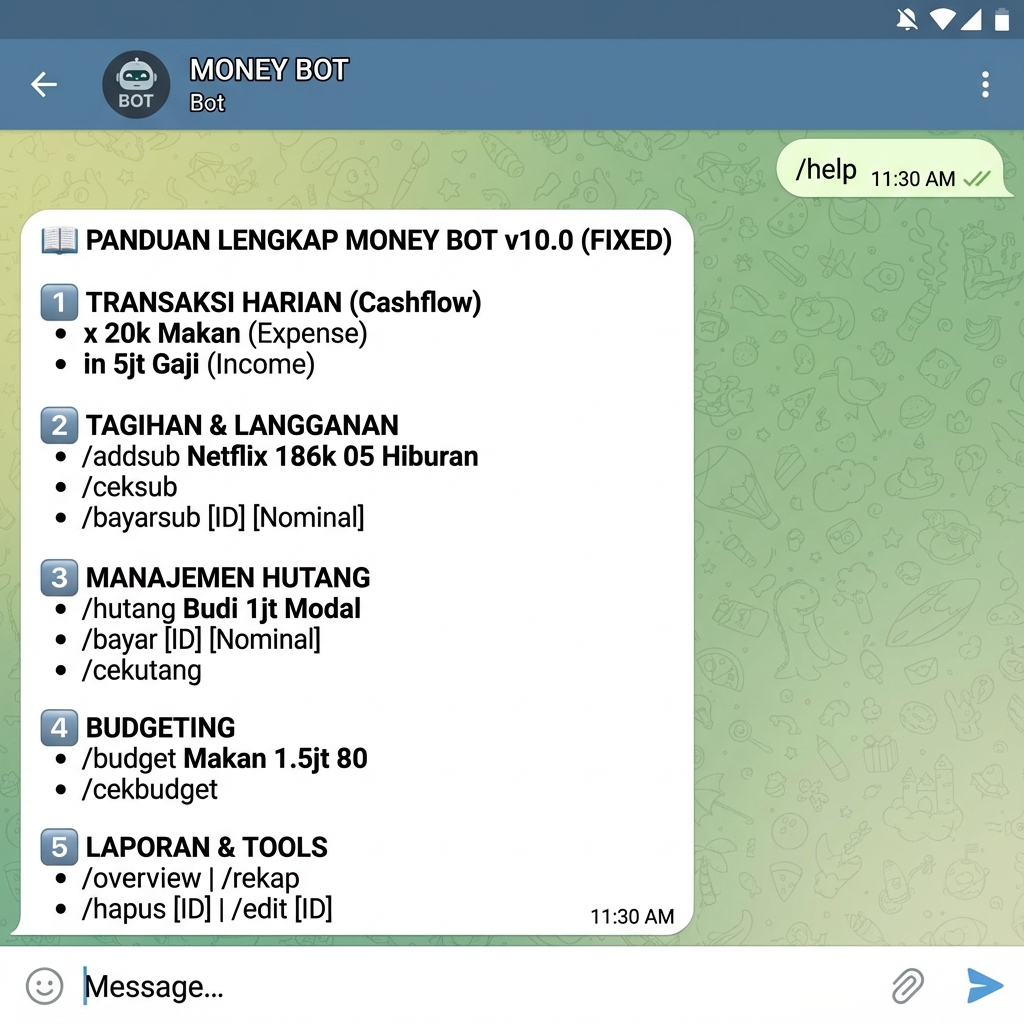
🚀 Instant Start (The Right Way)
🚀 Mulai Cepat
You MUST activate your service and set up your Initial Balance BEFORE recording any daily transactions. Failing to do so will result in data inconsistencies.
Anda WAJIB mengaktifkan layanan dan mengatur Saldo Awal SEBELUM mencatat transaksi harian. Melanggar urutan ini akan menyebab data tidak akurat.
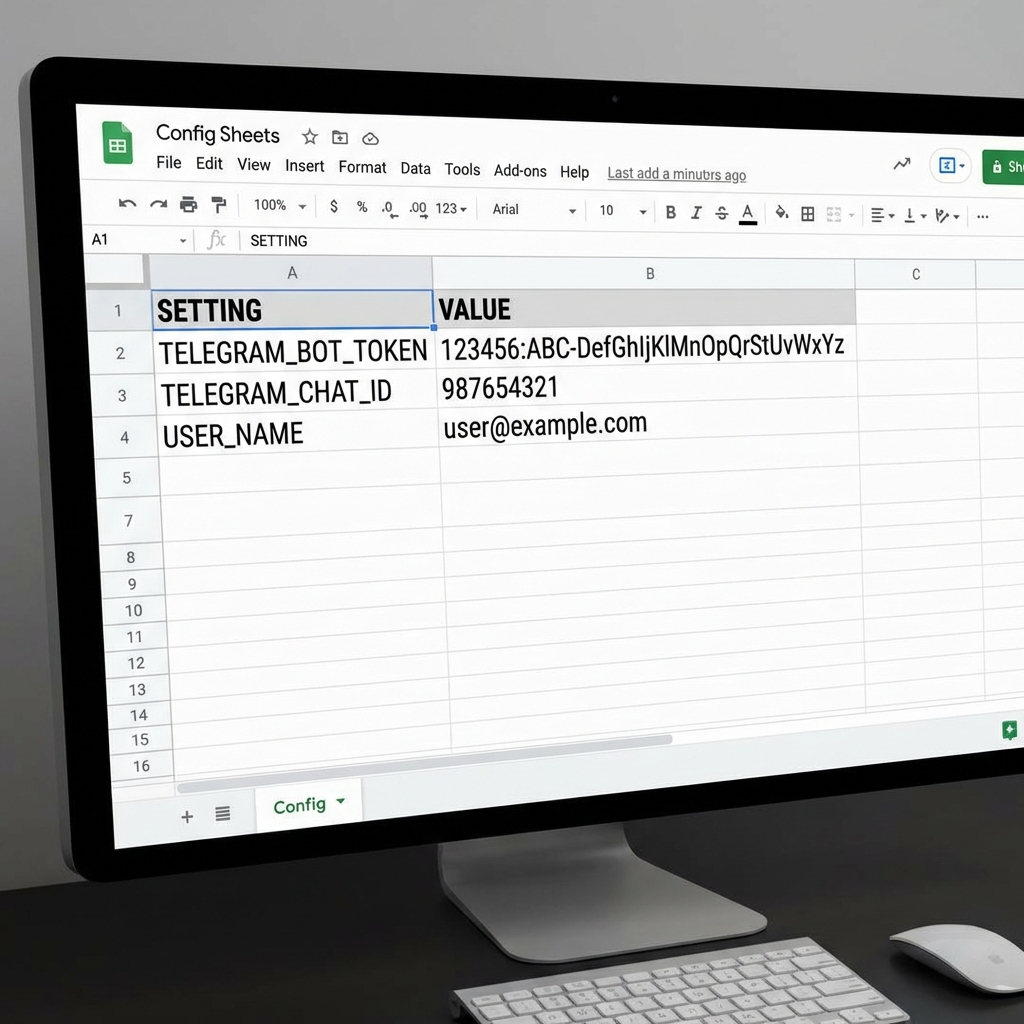
1. ⚙️ Setup Config
1. ⚙️ Setup Config
Open the ⚙️ Config sheet and fill in your Bot Token, Chat ID, and User Name.
Buka sheet ⚙️ Config dan isi Bot Token, Chat ID, serta User Name Anda.
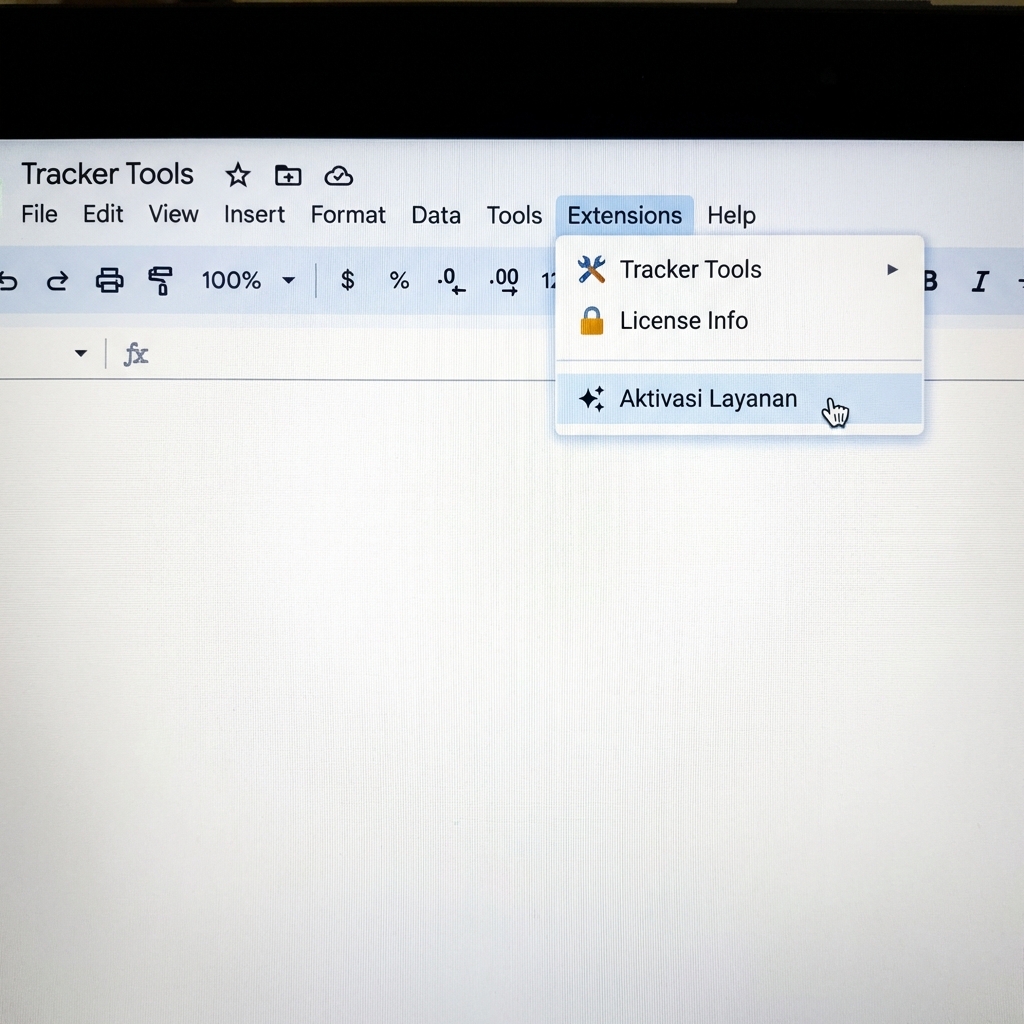
2. 🚀 Activate Service
2. 🚀 Aktivasi Layanan
In the spreadsheet menu, go to Tracker Tools > Aktivasi Layanan.
Pada menu spreadsheet, buka Tracker Tools > Aktivasi Layanan.
3. ⏳ Wait for Approval
3. ⏳ Tunggu Persetujuan
4. 🗂️ Setup Categories & Balance
4. 🗂️ Setup Kategori & Saldo
Define your master data and set your opening balances accurately.
Definisikan master data dan atur saldo awal Anda dengan akurat.
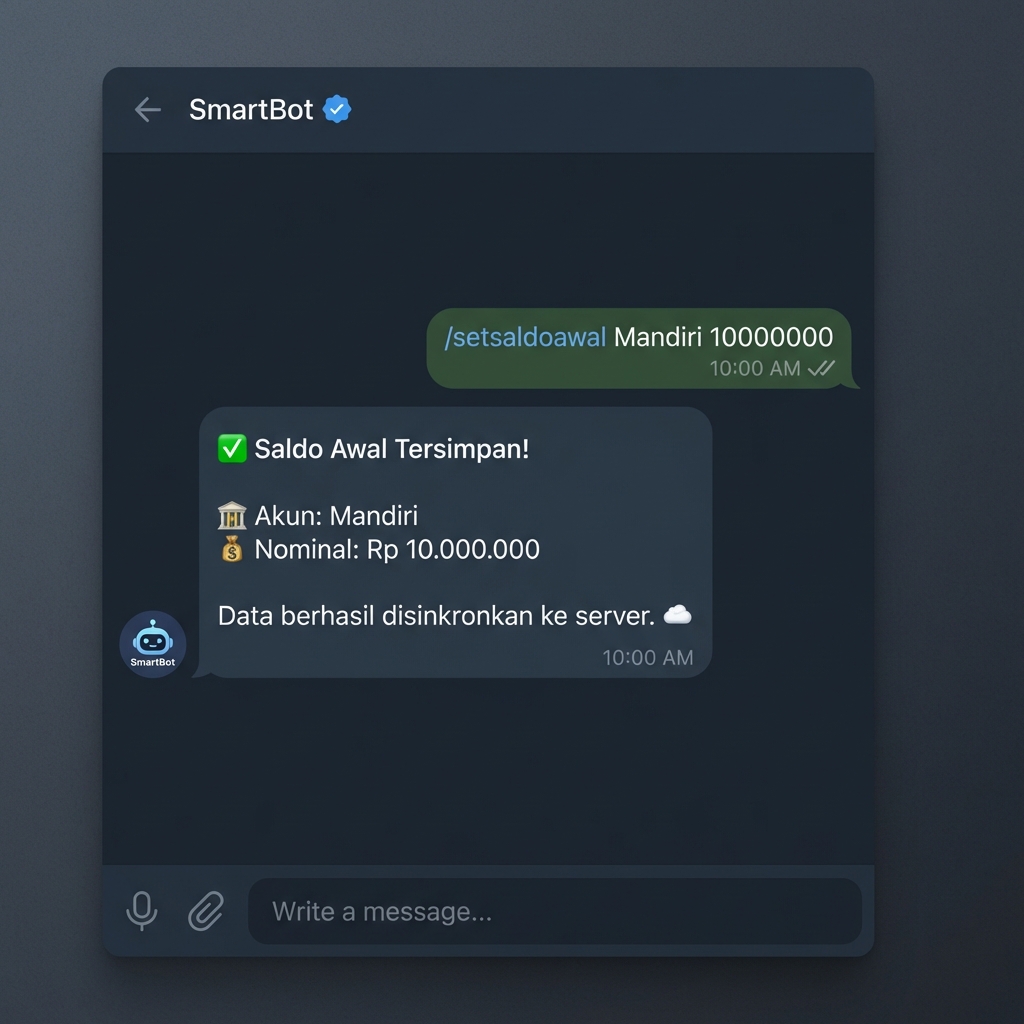
Money you HAVE right now.
Uang yang Anda MILIKI saat ini.
/setsaldoawal
Money you OWE before today.
Hutang/Piutang SEBELUM hari ini.
/sethutangawal
5. ✅ Start Transacting
5. ✅ Mulai Transaksi
🏁 Initial Setup & Migration Strategy
🏁 Strategi Setup Awal & Migrasi
A robust financial system starts with a clean "Cut-off Date". Learn how to migrate your physical money and existing debts into MoneyBot accurately.
Sistem keuangan yang kuat dimulai dengan "Tanggal Cut-off" yang bersih. Pelajari cara memigrasikan uang fisik dan hutang yang ada ke MoneyBot dengan akurat.
1. The "Snapshot" Method
1. Metode "Snapshot"
📸 What is it?
📸 Apa itu?
Imagine freezing time right now. You count all money in your pockets, banks, and e-wallets. That total is your Initial Balance. You don't care where it came from (salary last month, gift, etc). You only care that it exists right now.
Bayangkan waktu berhenti sekarang. Anda hitung semua uang di saku, bank, dan e-wallet. Total itu adalah Saldo Awal Anda. Anda tidak peduli dari mana asalnya (gaji bulan lalu, hadiah, dll). Anda hanya peduli bahwa uang itu ada sekarang.
📅 The Cut-off Date
📅 Tanggal Cut-off
Choose a date to switch (e.g., 1st Jan). Before this date, use your old system. On this date, input all balances to MoneyBot. After this date, only use MoneyBot.
Pilih tanggal untuk beralih (misal: 1 Jan). Sebelum tanggal ini, pakai sistem lama. Pada tanggal ini, masukkan semua saldo ke MoneyBot. Setelah tanggal ini, hanya gunakan MoneyBot.
2. Executing the Setup
2. Eksekusi Setup
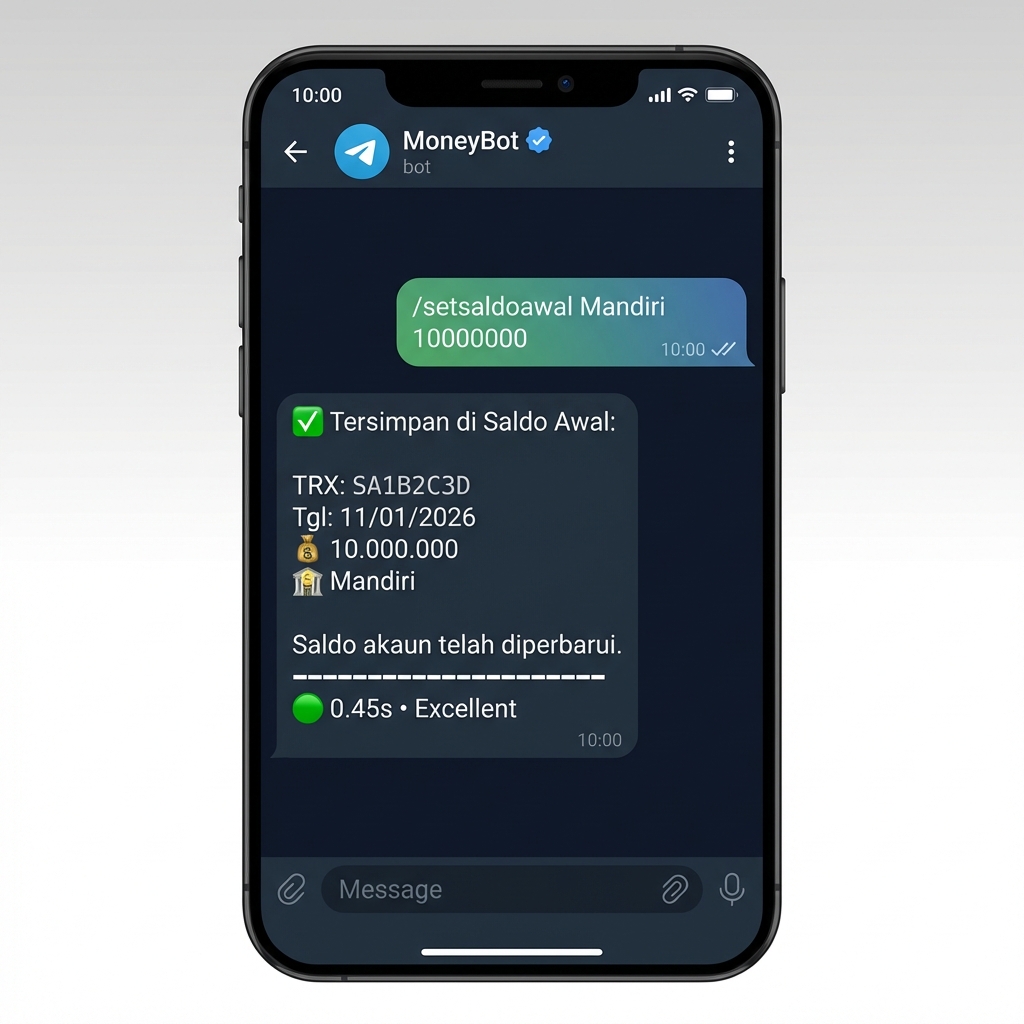
A. Liquid Assets (Money You Have)
A. Aset Lancar (Uang yang Dimiliki)
Run this for every bank/wallet you have.
Jalankan ini untuk setiap bank/dompet yang Anda punya.
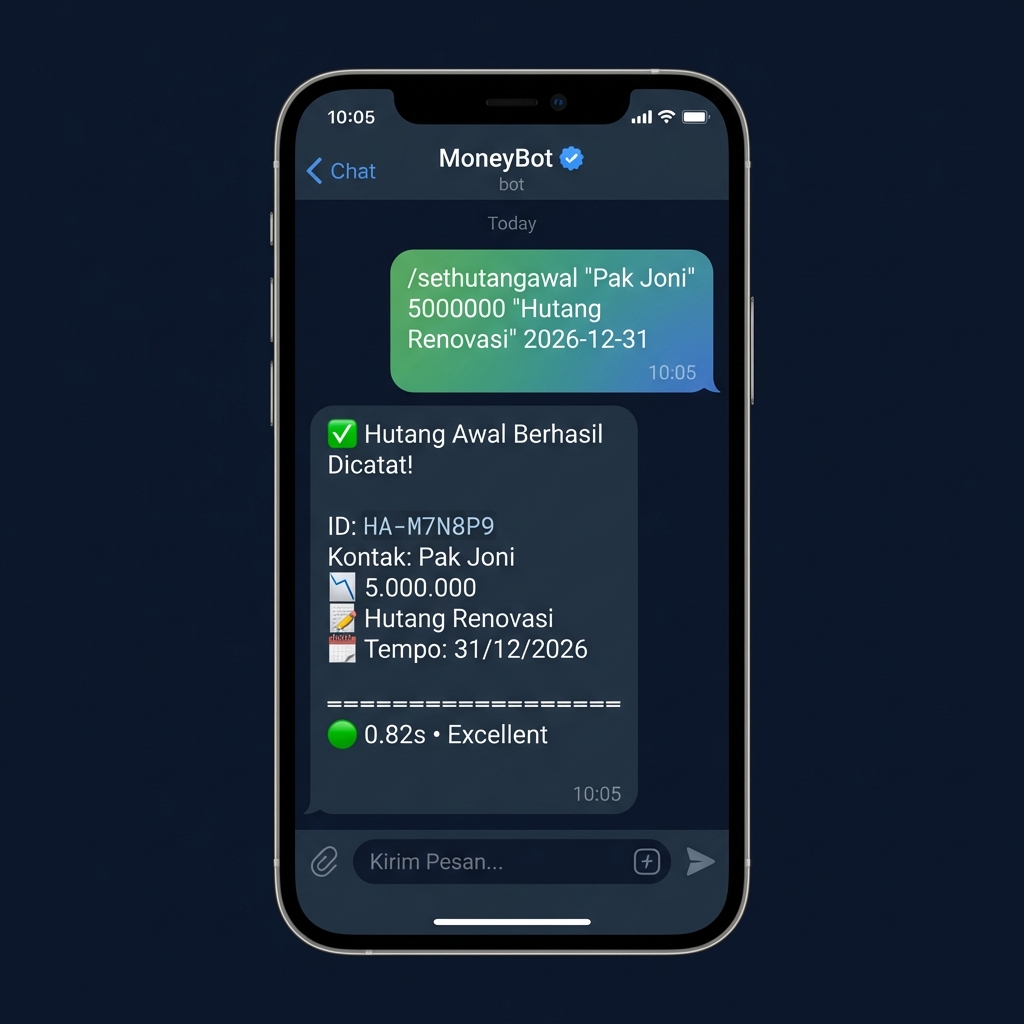
B. Opening Debt (Money You Owe)
B. Hutang Awal (Uang yang Dipinjam)
Record all unpaid debts from the past.
Catat semua hutang masa lalu yang belum lunas.
- Double Counting: Do not use
/infor money you already have. Use/setsaldoawal. - Hitung Ganda: Jangan gunakan
/inuntuk uang yang sudah ada di tangan. Gunakan/setsaldoawal. - Paying Old Debt with /out: If you pay a debt from last year, do not
just use
/out. Use/bayarhutangso it deducts from the recorded debt liability, not just valid expense. - Bayar Hutang Lama via /out: Jika bayar hutang tahun lalu, jangan cuma
pakai
/out. Gunakan/bayarhutangagar mengurangi kewajiban hutang, bukan dianggap pengeluaran belanja baru.
- Check Real-Time: Before running
/setsaldoawal, open your bank app/m-banking and use the exact balance shown. - Cek Real-Time: Sebelum menjalankan
/setsaldoawal, buka aplikasi bank/m-banking Anda dan gunakan saldo persis yang tertera. - Count Physical Cash: Don't estimate your wallet content; count it exactly.
- Hitung Uang Fisik: Jangan mengira-ngira isi dompet; hitung dengan teliti.
- Review Old Debt: Check your notes or chat history for any unpaid commitments from the past.
- Review Hutang Lama: Cek catatan atau history chat untuk komitmen yang belum terbayar dari masa lalu.
Accounts & Assets
Akun & Aset
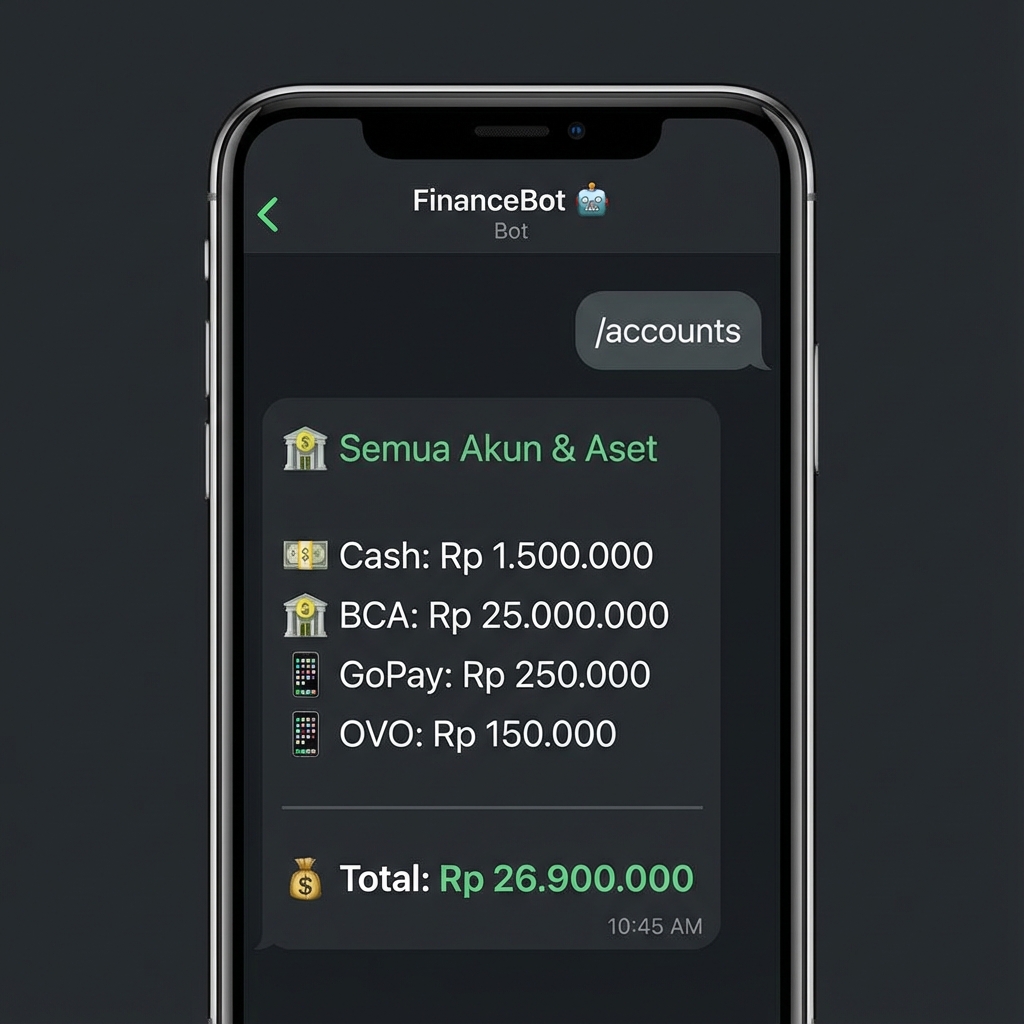
1. View All Accounts
1. Lihat Semua Akun
Displays a comprehensive list of all financial accounts and assets with their current values.
Menampilkan daftar lengkap semua akun keuangan dan aset dengan nilai saat ini.
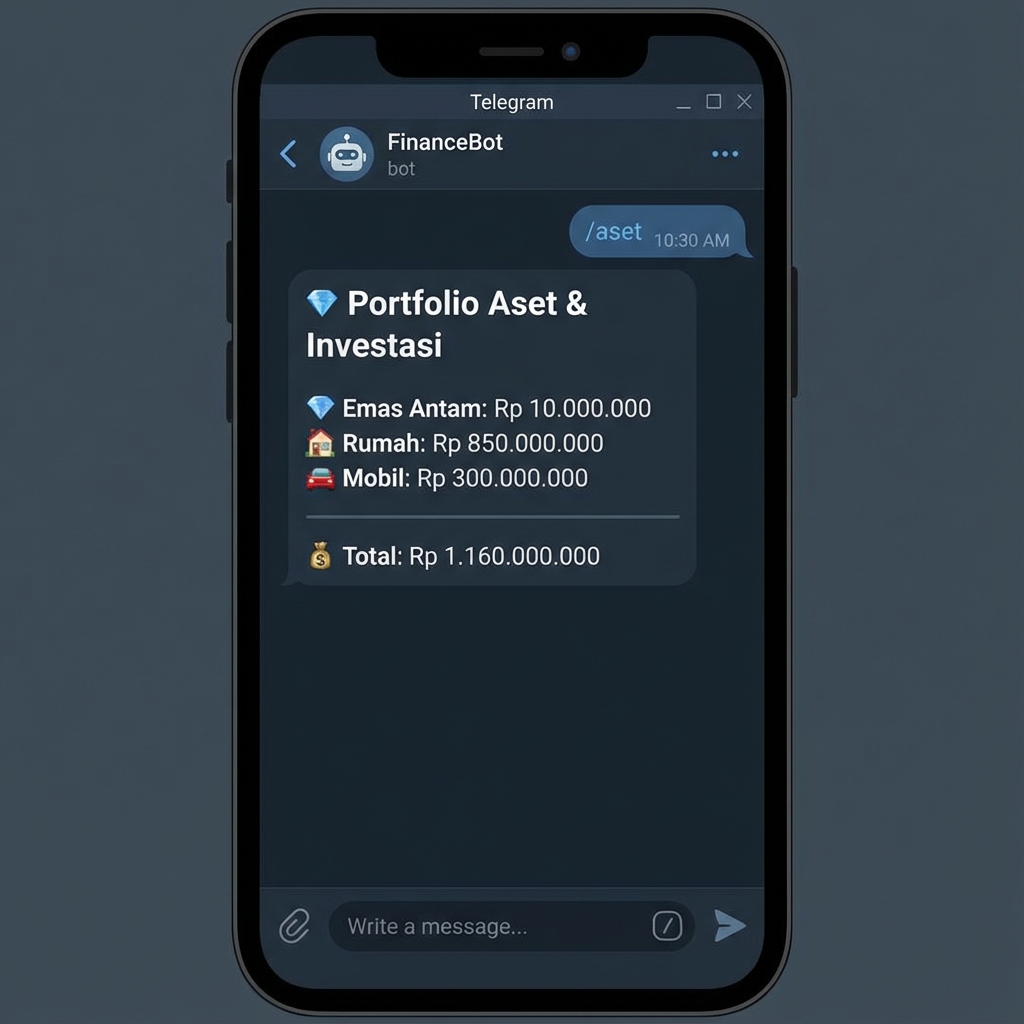
2. View Assets Portfolio
2. Lihat Portfolio Aset
Focuses only on your investment and physical assets (Gold, Property, Vehicles).
Hanya menampilkan aset investasi dan fisik Anda (Emas, Properti, Kendaraan).
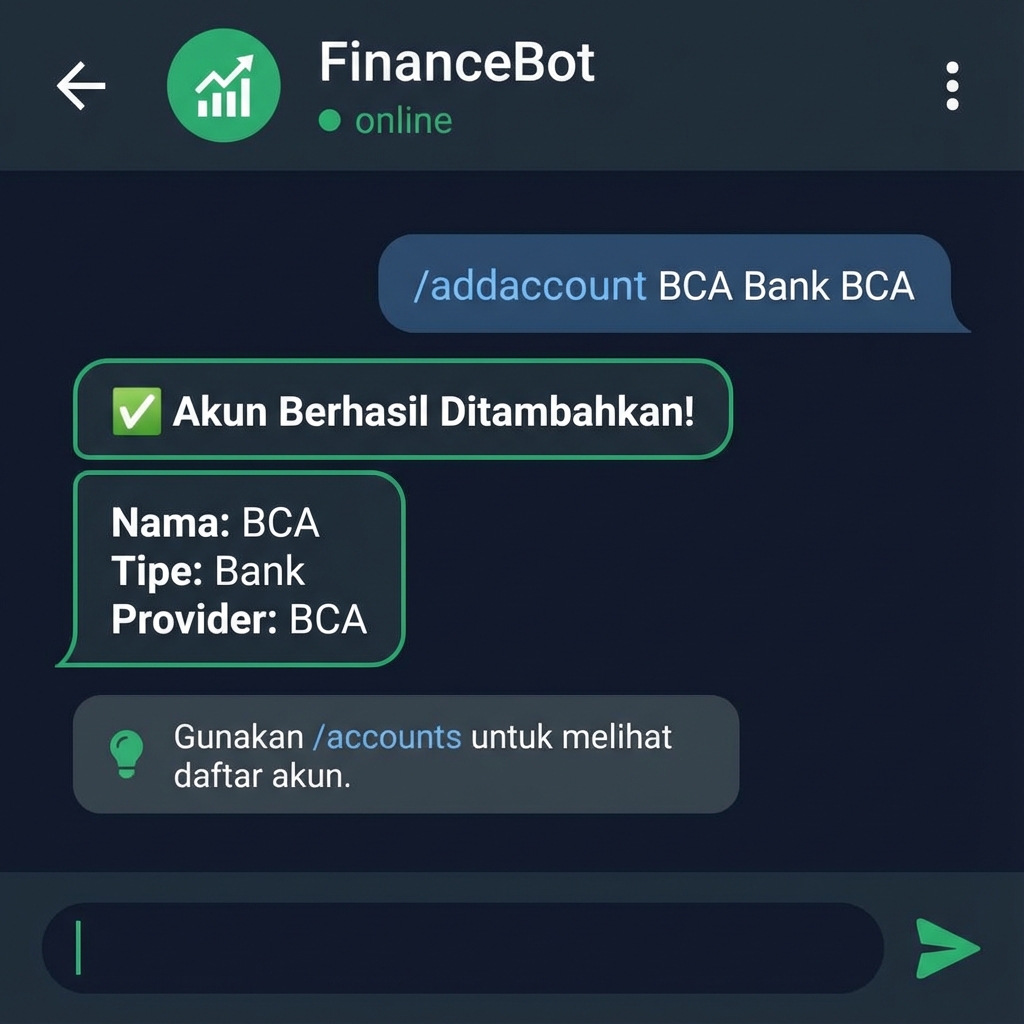
3. Add Account/Asset
3. Tambah Akun/Aset
/addaccount Mandiri Bank Mandiri/addaccount EmasAntam Asset Antam/addaccount SBN Investment Kemenkeu/addaccount Rumah Property Pribadi
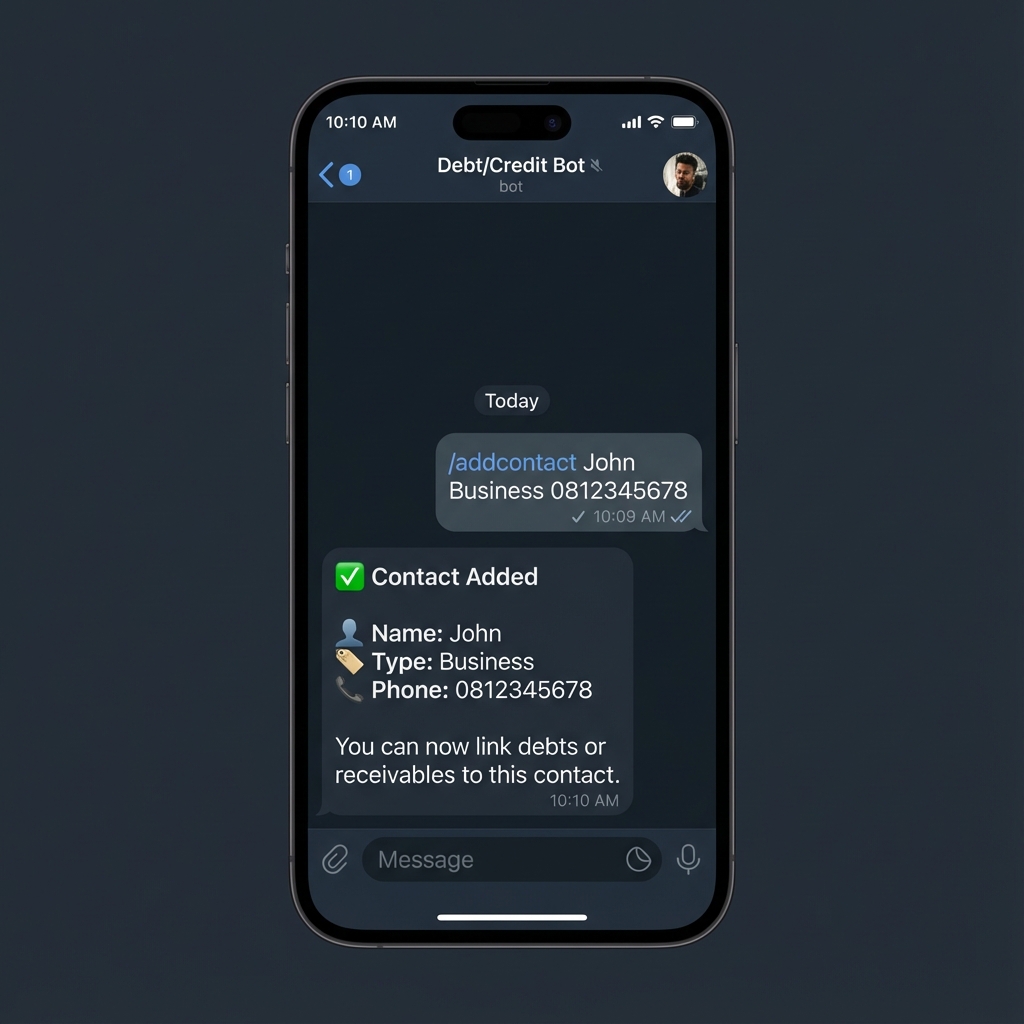
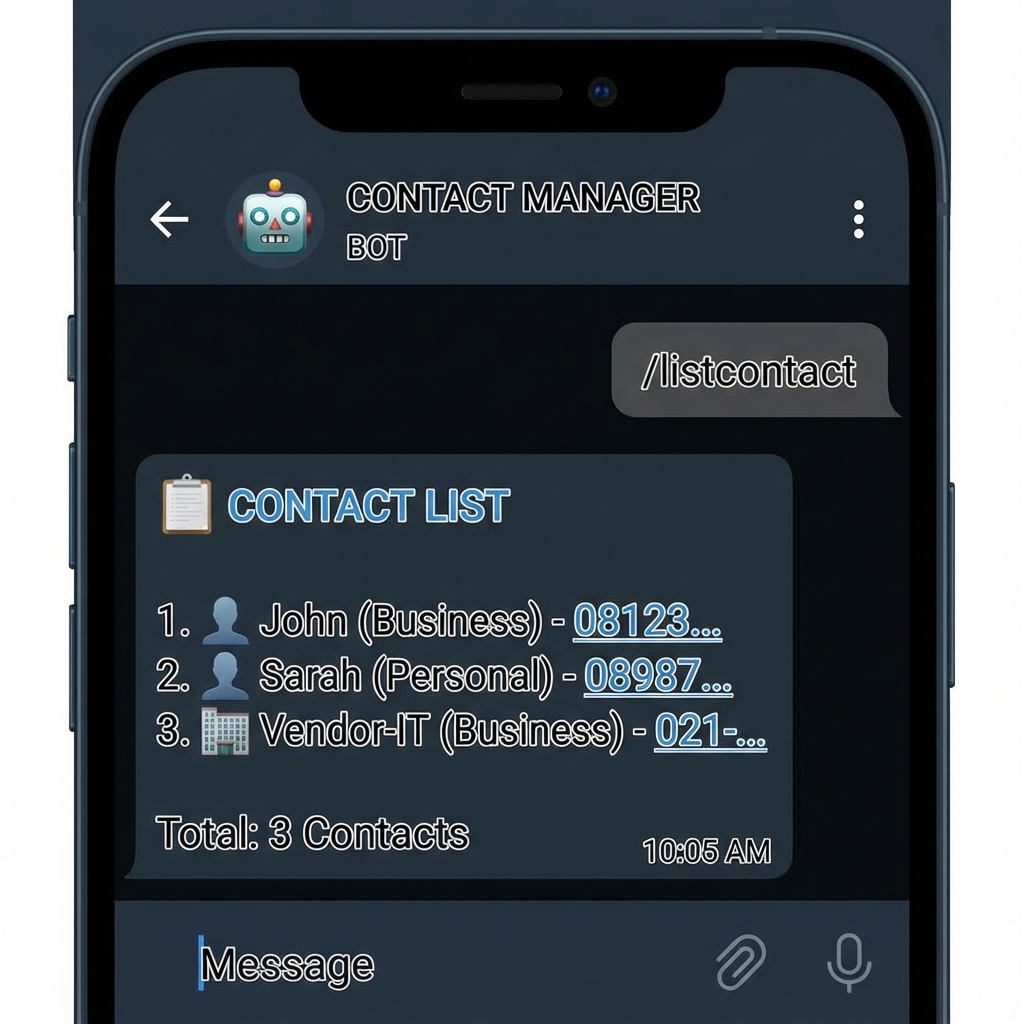
Contacts
Kontak
/addcontact John Business 0812345678/addcontact Sarah Personal 0898765432
📂 Master Data Management
📂 Manajemen Data Master
Categories
Kategori
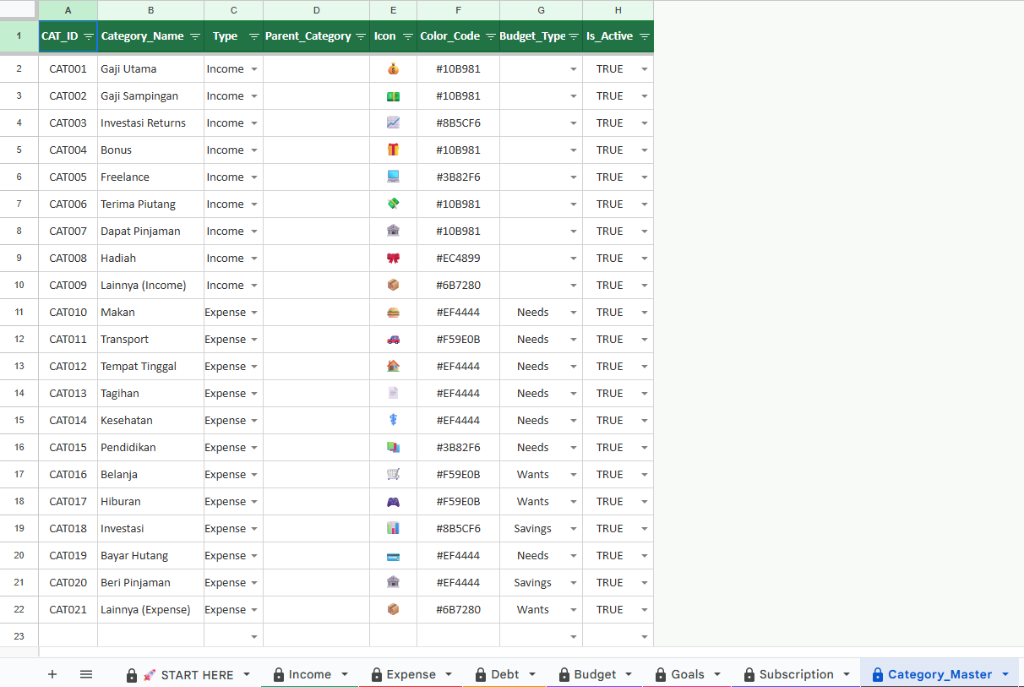
The Category Master sheet is the brain of your classification logic. Each category must have a defined type and budget group.
Sheet Category Master adalah otak dari logika klasifikasi Anda. Setiap kategori harus memiliki tipe dan grup budget yang jelas.
Schema Definition
Definisi Skema
| Field | Description | Deskripsi |
|---|---|---|
CAT_ID |
Auto-generated unique ID. | ID unik yang digenerate otomatis. |
Category_Name |
The name you use in bot commands. | Nama yang digunakan dalam command bot. |
Type |
Income or Expense. |
Income (Pemasukan) atau Expense
(Pengeluaran). |
Budget_Type |
(For Expense) Needs, Wants, or Savings. | (Untuk Expense) Needs, Wants, atau Savings. |
- Needs: Pokok (Tagihan, Makan, Transport).
- Wants: Keinginan (Hiburan, Belanja).
- Savings: Tabungan/Aset (Investasi, Bayar Hutang).
Spreadsheet View
Tampilan Spreadsheet
Bot Commands
Command Bot
View all available categories with grouping Income/Expense.
Lihat semua kategori yang tersedia dengan grouping Income/Expense.
/addcategory Freelance Income - 💻 #3B82F6/addcategory Belanja Expense Wants 🛒 #F59E0B/addcategory Investasi Expense Savings 📈 #8B5CF6
🛠️ Detailed Setup Guide
🛠️ Panduan Setup Detail
New to MoneyBot? Follow these steps to ensure a smooth experience and avoid common errors.
Baru menggunakan MoneyBot? Ikuti langkah ini untuk pengalaman lancar dan menghindari error umum.
STEP 1: Understanding Packages
LANGKAH 1: Memahami Paket
⭐ Standard
For Personal Finance
- Income & Expense Tracking
- Basic Budgeting (Needs/Wants/Savings)
- Financial Goals
- Recurring Transactions
👑 Premium
For Power Users
- Everything in Standard
- Debt Management (Hutang/Piutang)
- Subscription Tracking
- Asset Management
- Visual Charts 📊
- Data Recovery (Undelete)
🚀 Enterprise
For Business & Pros
- Everything in Premium
- Multi-Currency 💱
- AI Categorization 🤖
- Receipt Scanning 🧾
- Priority Support
STEP 2: Mastering Categories (Crucial!)
LANGKAH 2: Menguasai Kategori (Penting!)
MoneyBot enforces data integrity. You cannot use a category in a transaction if it hasn't been defined in the Category Master first. This prevents typos (e.g., "Food" vs "Fod") and messy reports.
MoneyBot menjaga integritas data. Anda tidak bisa menggunakan kategori dalam transaksi jika belum didaftarkan di Category Master. Ini mencegah typo (cth: "Makan" vs "Makn") dan laporan yang berantakan.
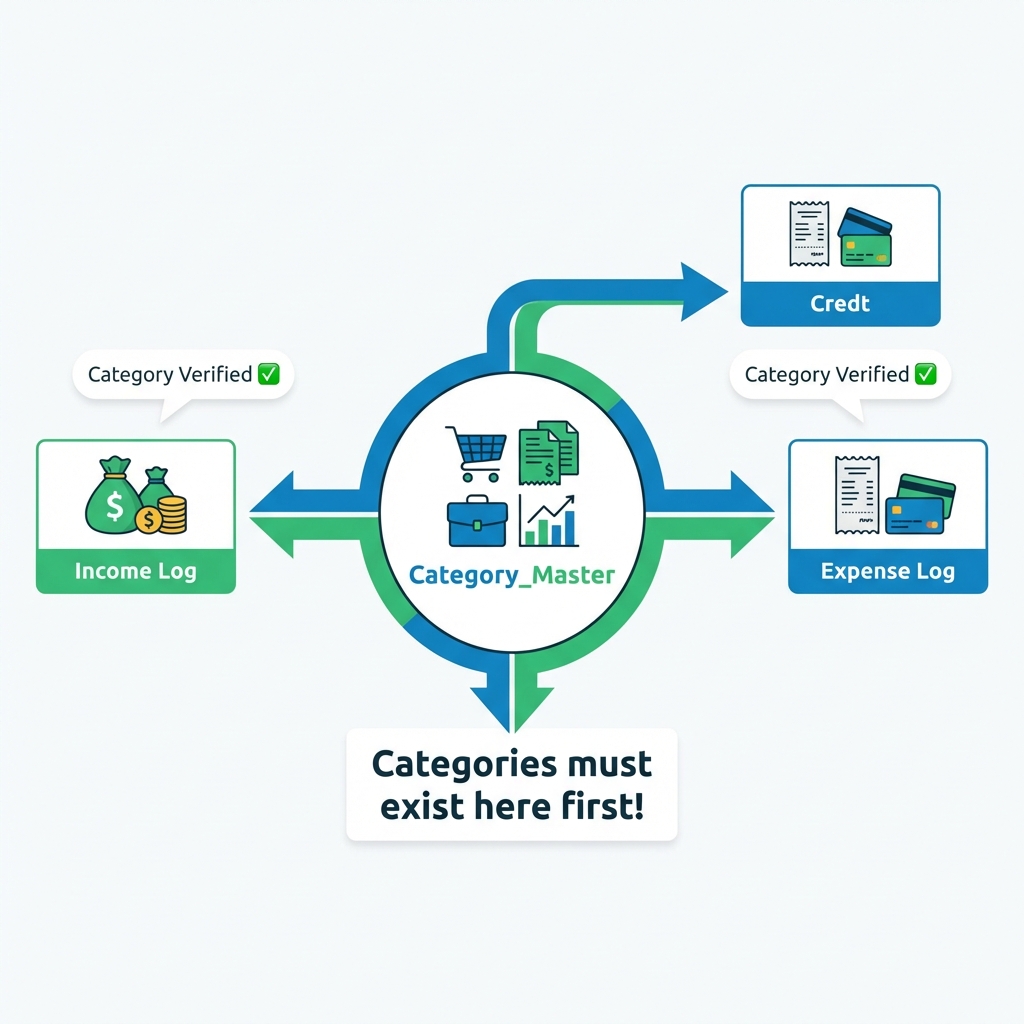
How to Fix "Category Not Found"
Cara Mengatasi "Kategori Tidak Ditemukan"
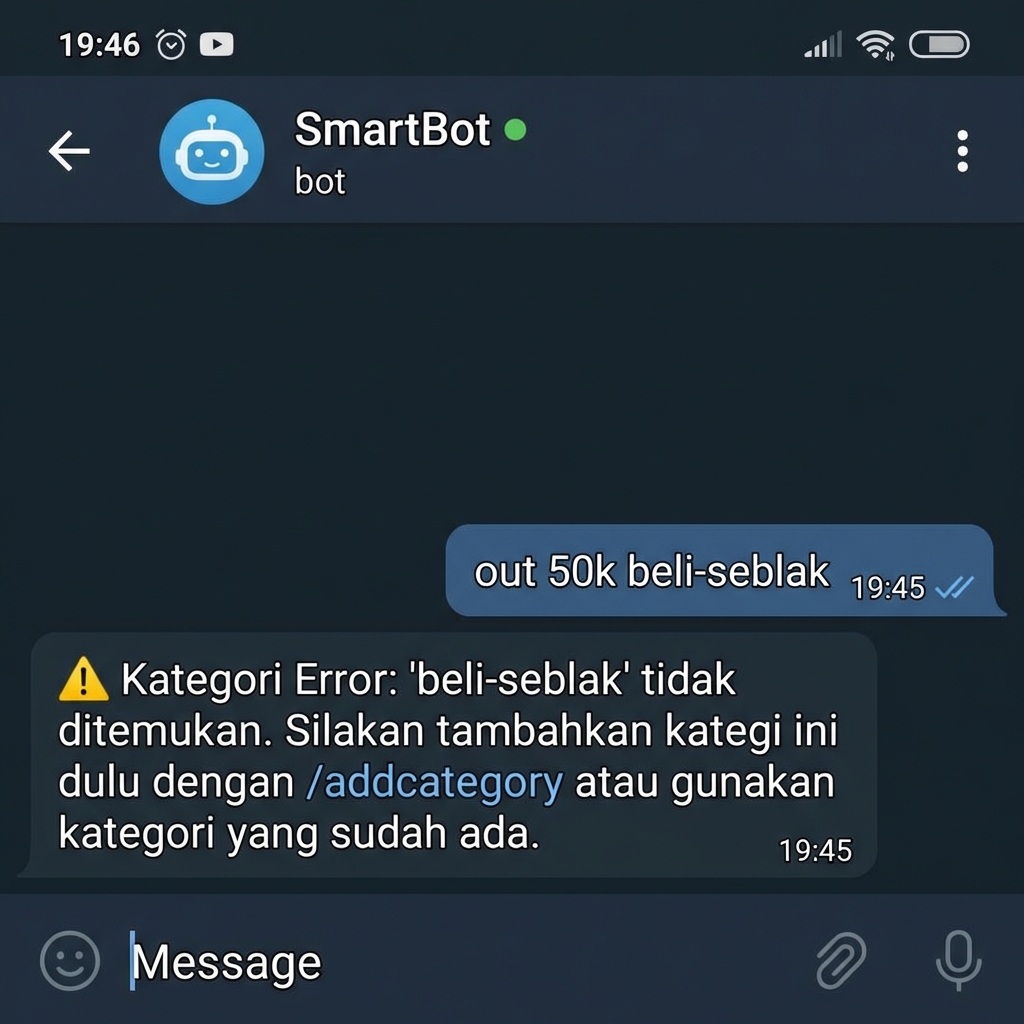
❌ Error Scenario
Solution: Add the category first!
Solusi: Tambahkan kategori dulu!
Example:
/addcategory Seblak Expense Wants
Once added, you can use it forever.
Setelah ditambah, bisa dipakai selamanya.
STEP 3: Payment Methods (Accounts)
LANGKAH 3: Metode Pembayaran (Akun)
Define where your money comes from or goes to (Mandiri, Cash, BNI).
Tentukan dari mana uang Anda berasal atau pergi (Mandiri, Tunai, BNI).
Example:
/addpm Saku Cash -/addpm Mandiri Bank Mandiri
💸 Cashflow Management
💸 Manajemen Cashflow
Record Expense
Catat Pengeluaran
out, o, expense, ex, x,
keluar, -
out 50k makan lunch [BNI]x 30k transport ojolo 2.5jt sewa-kost monthly [Mandiri]keluar 186k streaming netflix [BRI]- 100k belanja groceries
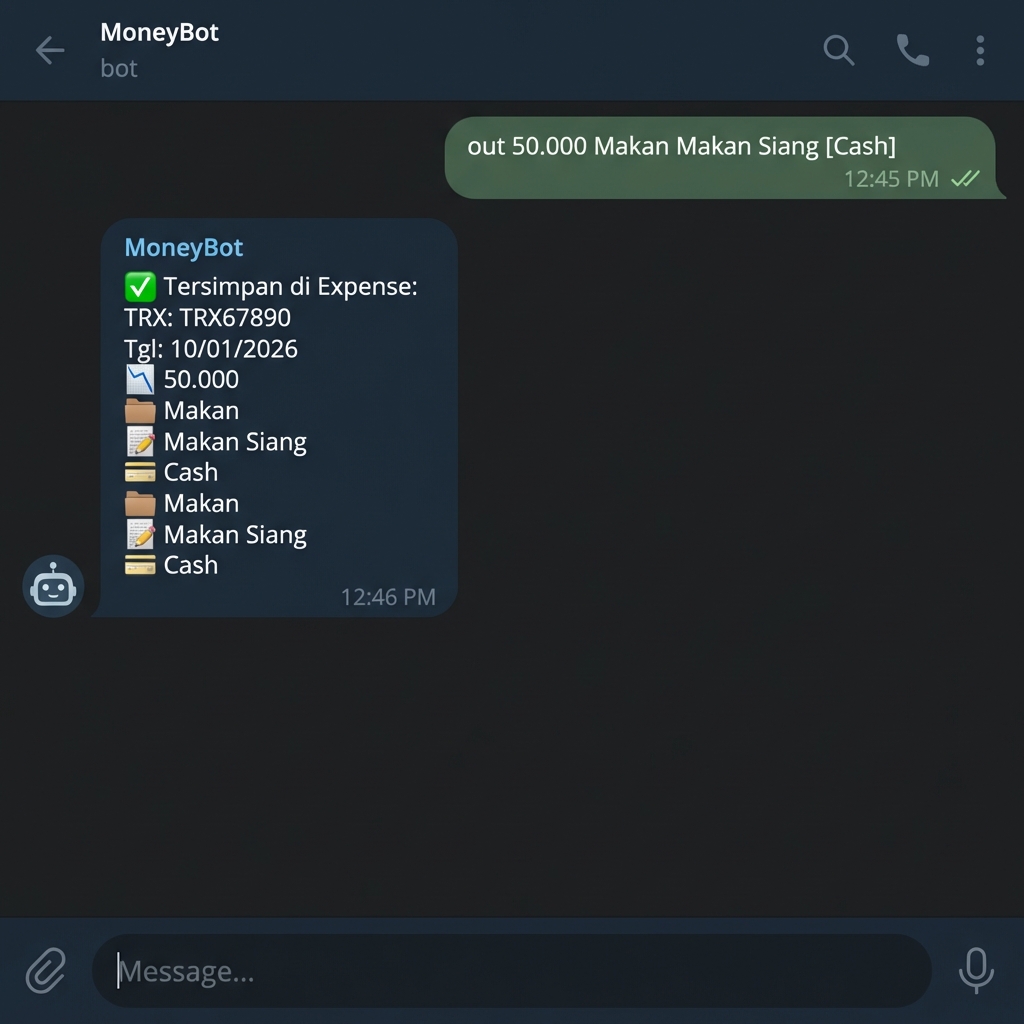
Add date at the beginning to record past transactions: Tambahkan tanggal di awal untuk mencatat transaksi hari-hari yang lewat:
05/01 out 50k makan lunch (January 5th)(5
Januari)31/12/2025 out 1jt belanja akhir-tahun [BRI] (Dec 31, 2025)(31 Des 2025)7-1 in 5jt gaji (January 7th, current year)(7
Januari tahun ini)
V11 Enhancements:
Peningkatan V11:
- Payment Method tracking with [Account]
- Pelacakan Akun & Aset dengan [Akun]
- Soft delete (recoverable)
- Soft delete (dapat dipulihkan)
- Tax deductible flag
- Flag tax deductible
Record Income
Catat Pemasukan
in, i, income, masuk, +
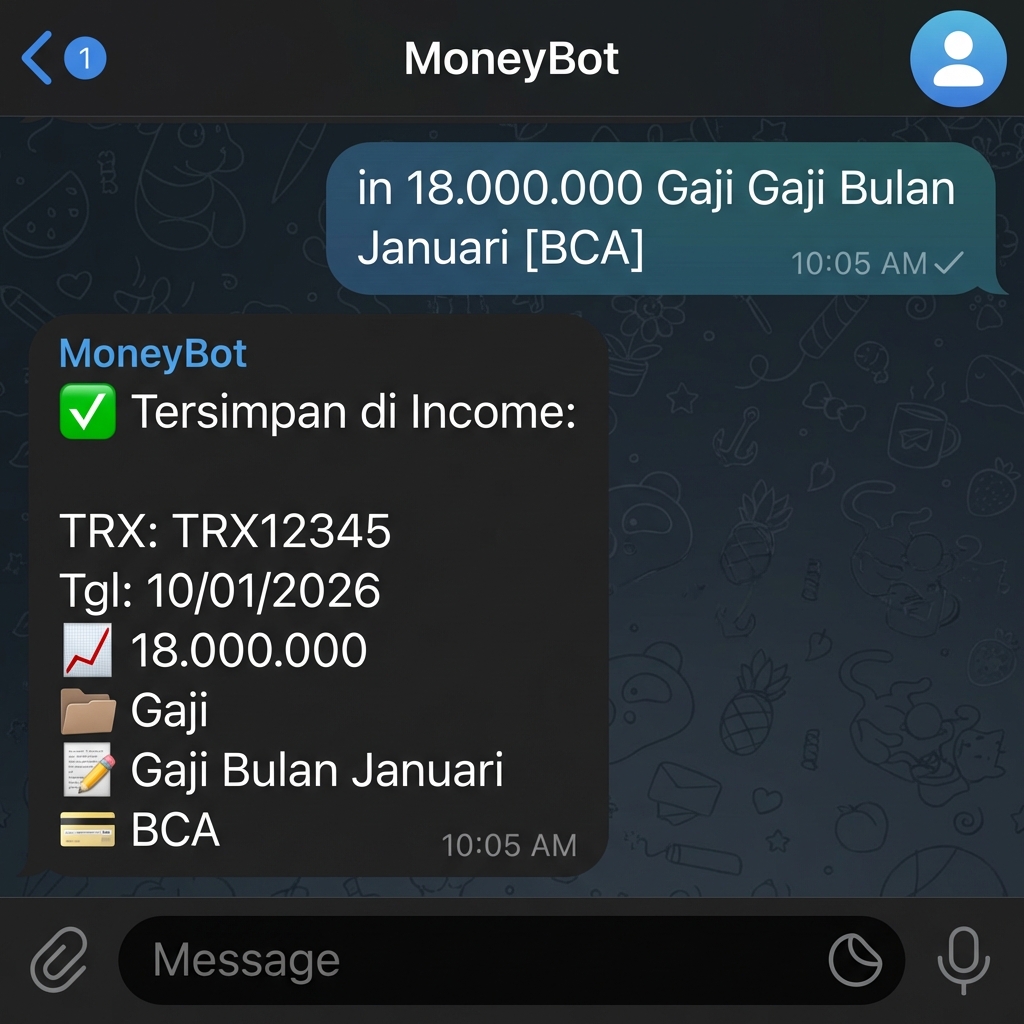
in 18jt gaji-utama PT-ABC [Mandiri]i 5jt freelance project-web [Mandiri]masuk 500k bonus [Cash]+ 1jt transfer-dari-ortu
Daily Transactions
Transaksi Harian
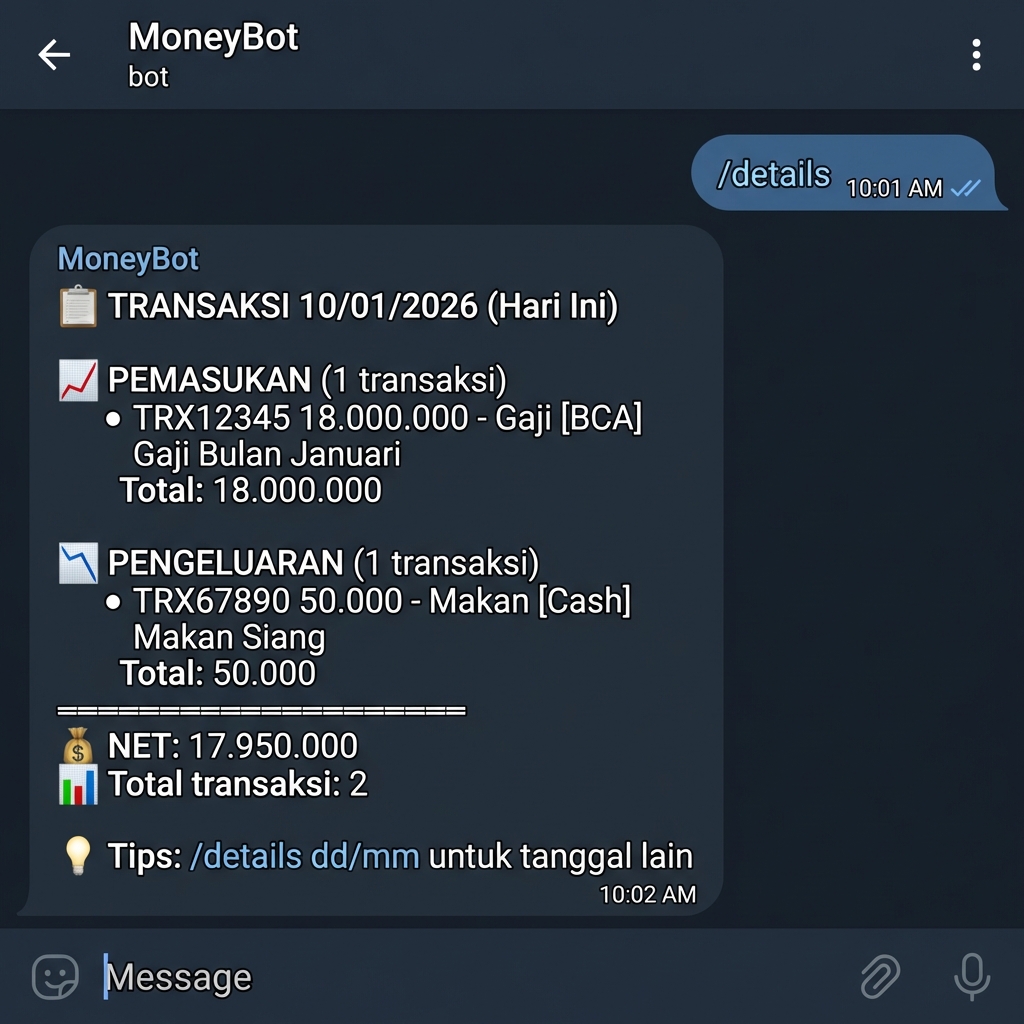
View all transactions for a specific date. Default: today.
Lihat semua transaksi untuk tanggal tertentu. Default: hari ini.
/details (today's transactions)(transaksi hari
ini)/details 07/01 (January 7th)(7 Januari)/details 31/12/2025 (Dec 31, 2025)(31 Des
2025)
- All income transactions with payment methods
- Semua transaksi pemasukan dengan metode pembayaran
- All expense transactions with payment methods
- Semua transaksi pengeluaran dengan metode pembayaran
- Daily net balance (income - expense)
- Saldo bersih harian (pemasukan - pengeluaran)
- Total transaction count
- Jumlah total transaksi
Overview Dashboard
Dashboard Ringkasan
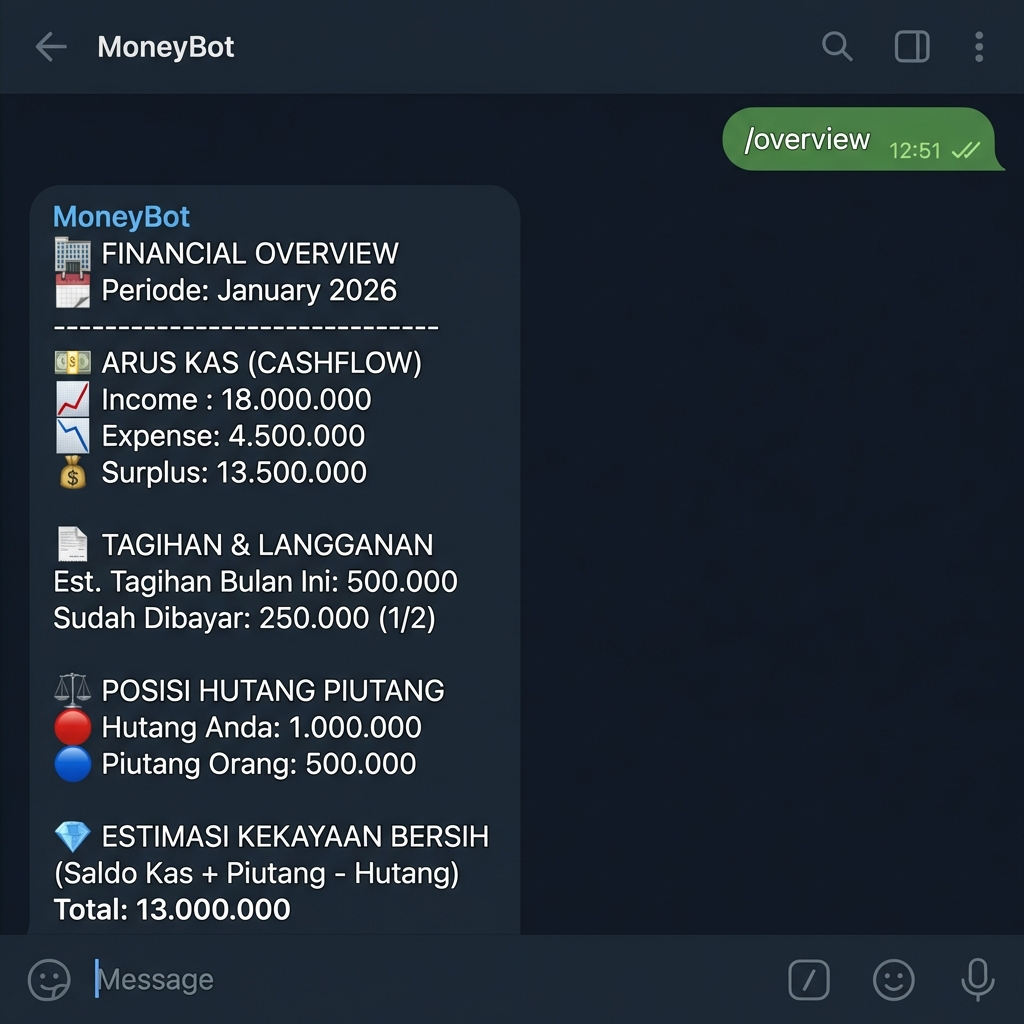
Complete financial dashboard with V11 enhancements: Health Score, Net Worth, 50/30/20 breakdown.
Dashboard keuangan lengkap dengan peningkatan V11: Skor Kesehatan, Net Worth, breakdown 50/30/20.
✏️ Edit Transaction
✏️ Edit Transaksi
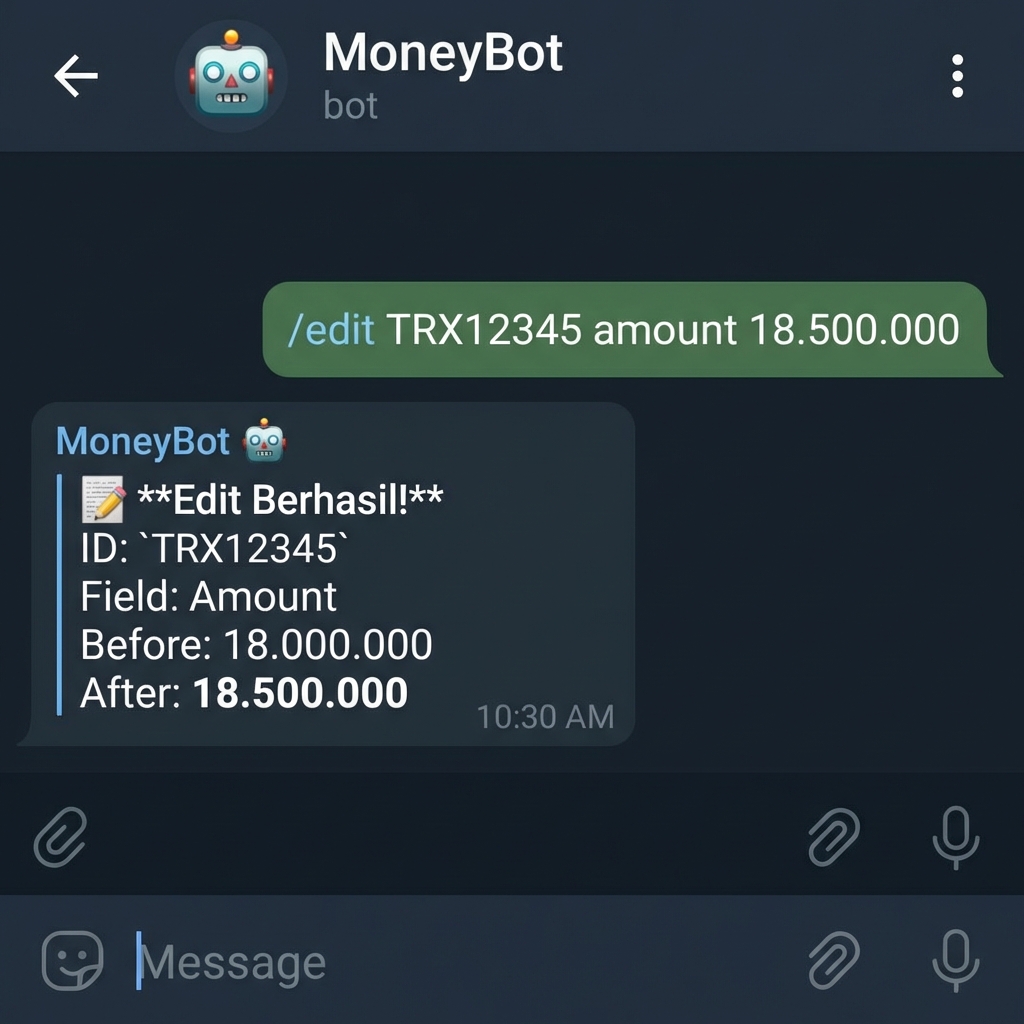
Modify existing transaction fields. If editing Category, the new category will be auto-added to Category_Master if it doesn't exist.
Ubah field transaksi yang ada. Jika mengedit Kategori, kategori baru akan otomatis ditambahkan ke Category_Master jika belum ada.
amount, category, description, date,
account
/edit A1B2C3D4 amount 50000/edit A1B2C3D4 category Transport/edit A1B2C3D4 date 09/01/2026/edit A1B2C3D4 description Lunch meeting
Telegram Response:
Respon Telegram:
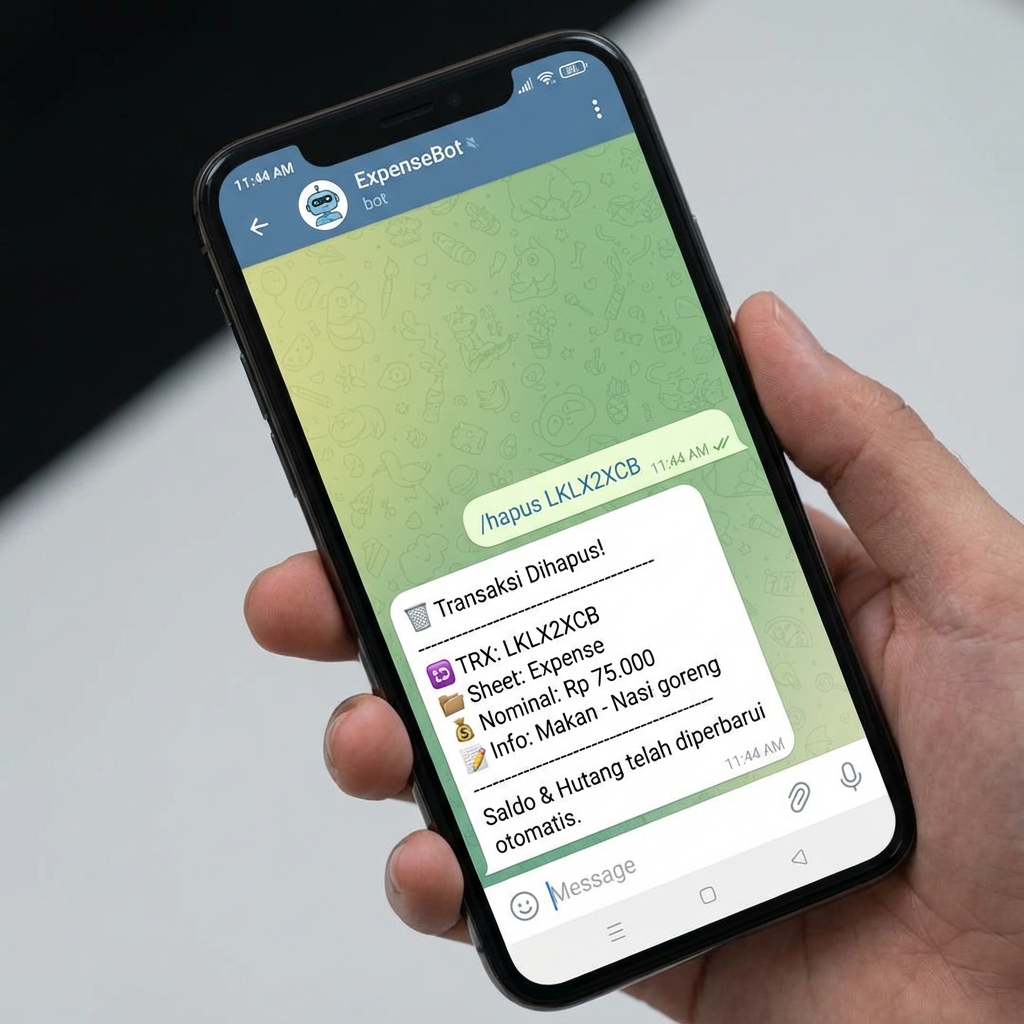
🗑️ Delete Transaction (Soft Delete)
🗑️ Hapus Transaksi (Soft Delete)
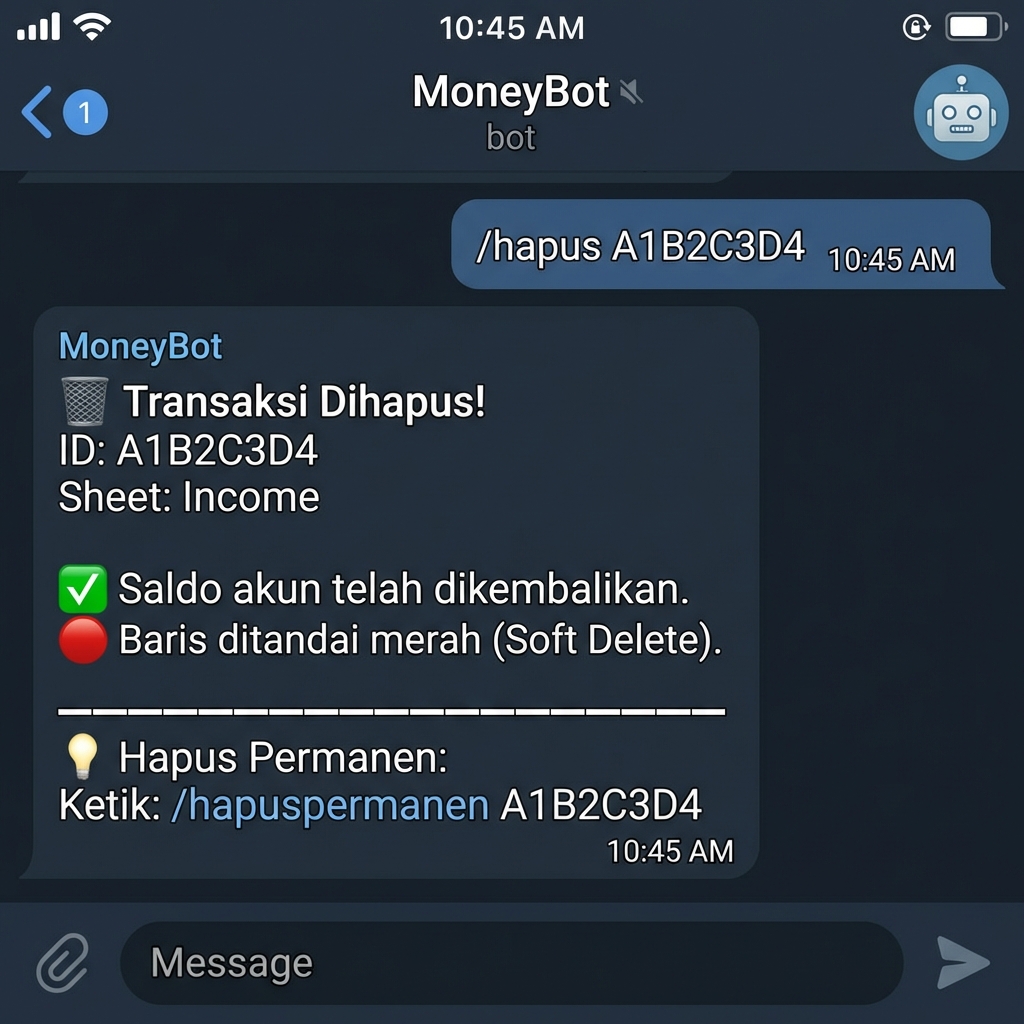
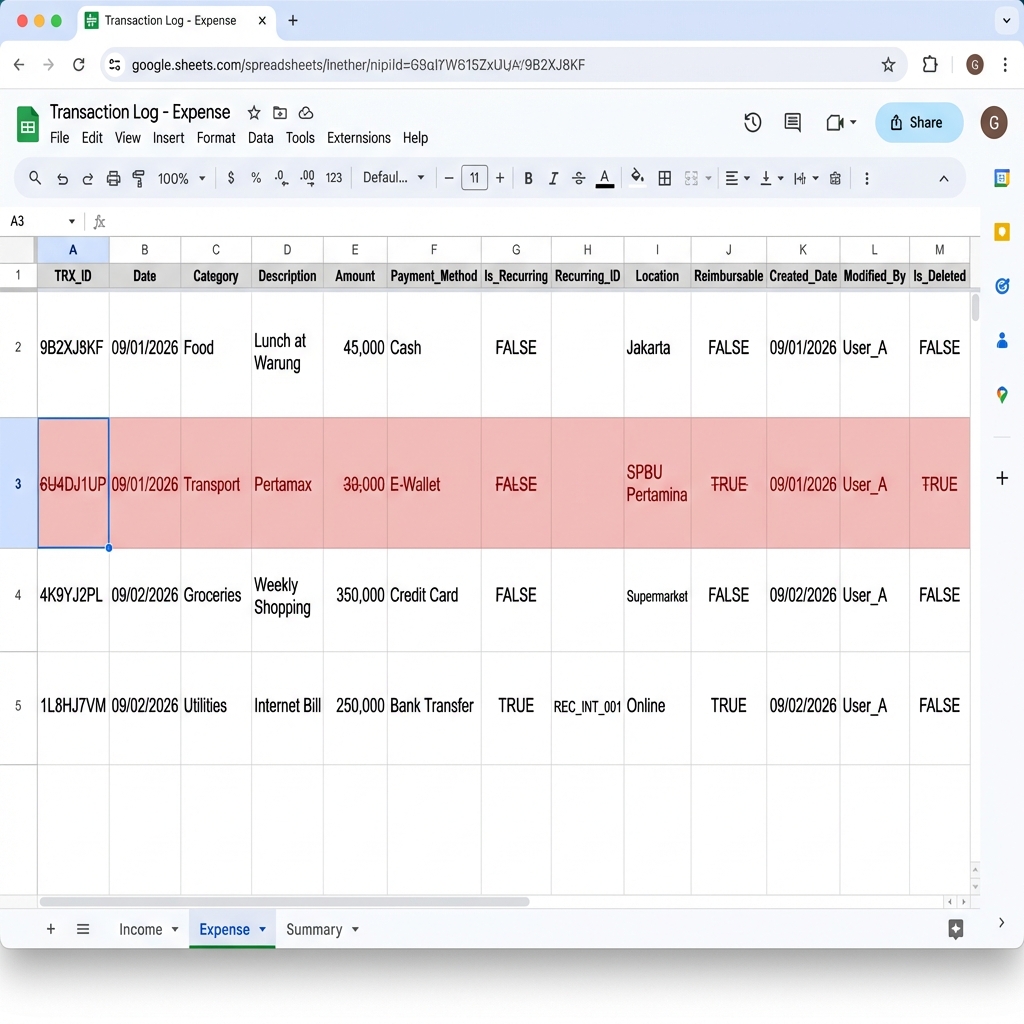
Performs a soft delete - the transaction row is marked with red background, strikethrough text, and Is_Deleted=TRUE. Account balances are automatically reverted.
Melakukan soft delete - baris transaksi ditandai dengan background merah, teks dicoret, dan Is_Deleted=TRUE. Saldo akun otomatis dikembalikan.
- Data is not lost - can be recovered if needed
- Data tidak hilang - bisa dipulihkan jika dibutuhkan
- Account balance automatically adjusted
- Saldo akun otomatis disesuaikan
- Visual indicator (red row) shows deleted transactions
- Indikator visual (baris merah) menunjukkan transaksi yang dihapus
/hapus A1B2C3D4/del A1B2C3D4
Telegram Response:
Respon Telegram:
Spreadsheet Visual (Red-marked deleted row):
Visual Spreadsheet (Baris merah yang dihapus):
⛔ Permanent Delete
⛔ Hapus Permanen
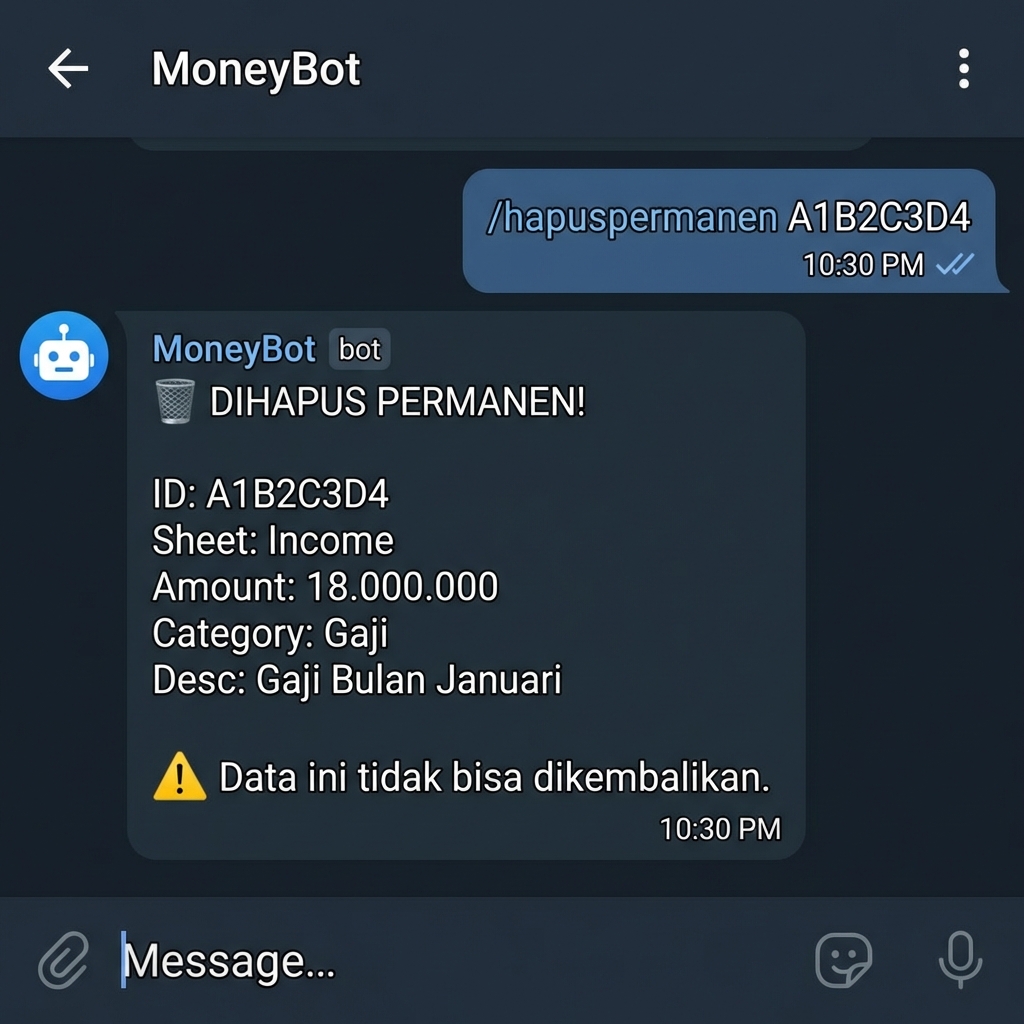
Permanently removes a soft-deleted transaction from the spreadsheet. This action cannot be undone! Only works on transactions that have been soft-deleted first.
Menghapus transaksi yang sudah di-soft delete secara permanen dari spreadsheet. Aksi ini tidak bisa dibatalkan! Hanya bekerja pada transaksi yang sudah di-soft delete.
Once permanently deleted, data cannot be recovered. Use /hapus first, then /hapuspermanen only if you're sure.
Setelah dihapus permanen, data tidak bisa dikembalikan. Gunakan /hapus dulu, lalu /hapuspermanen hanya jika Anda yakin.
/hapus A1B2C3D4 (soft delete → row turns red)(soft
delete → baris jadi merah)/hapuspermanen A1B2C3D4 (permanently remove row)(hapus baris permanen)
💰 Budget Management
💰 Manajemen Budget
Set Budget
Atur Budget
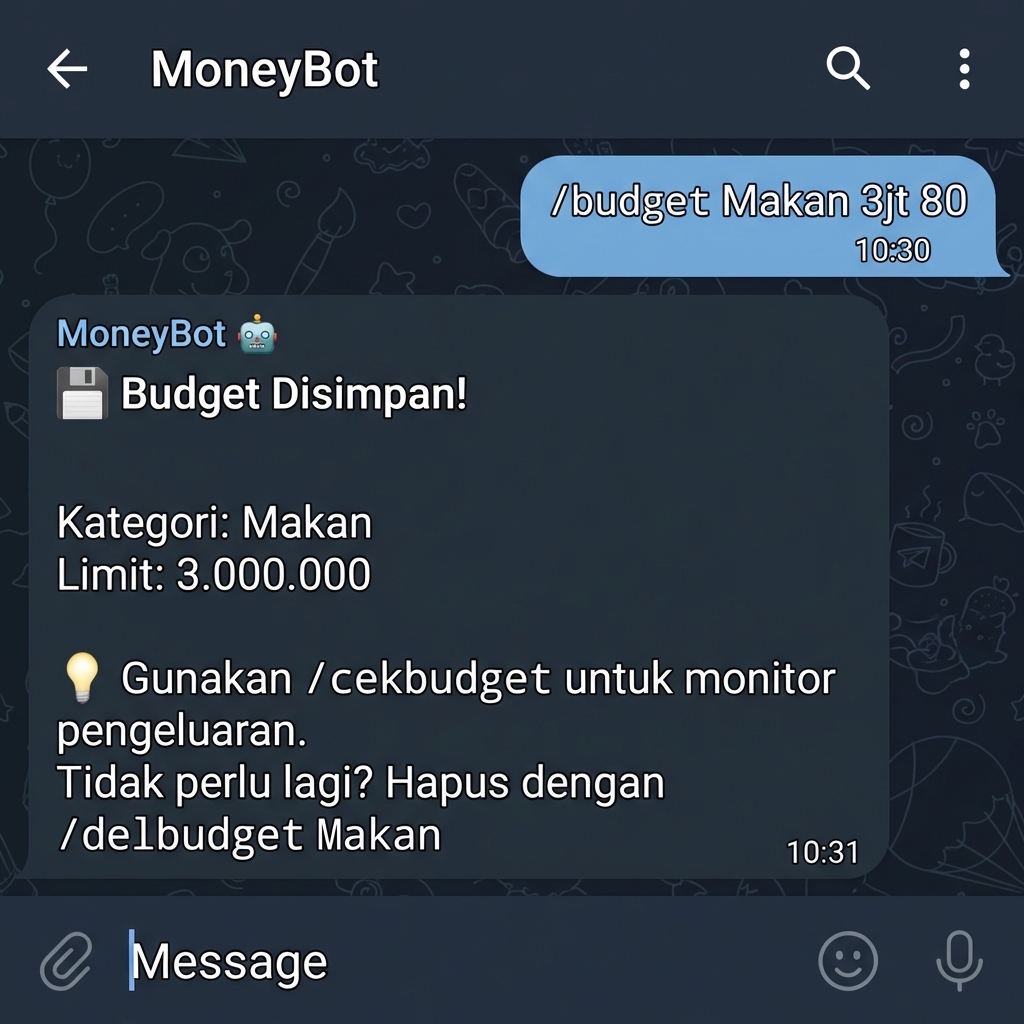
Establish monthly spending limits for specific categories. You can optionally set an alert threshold (percentage) to receive warnings before reaching the limit.
Tetapkan batas pengeluaran bulanan untuk kategori tertentu. Anda dapat opsional mengatur ambang batas alert (persentase) untuk menerima peringatan sebelum mencapai limit.
/budget Makan 3jt 80/budget Transport 1jt 75/budget Hiburan 500k 90
Telegram Response:
Respon Telegram:
Check Budget Status
Cek Status Budget
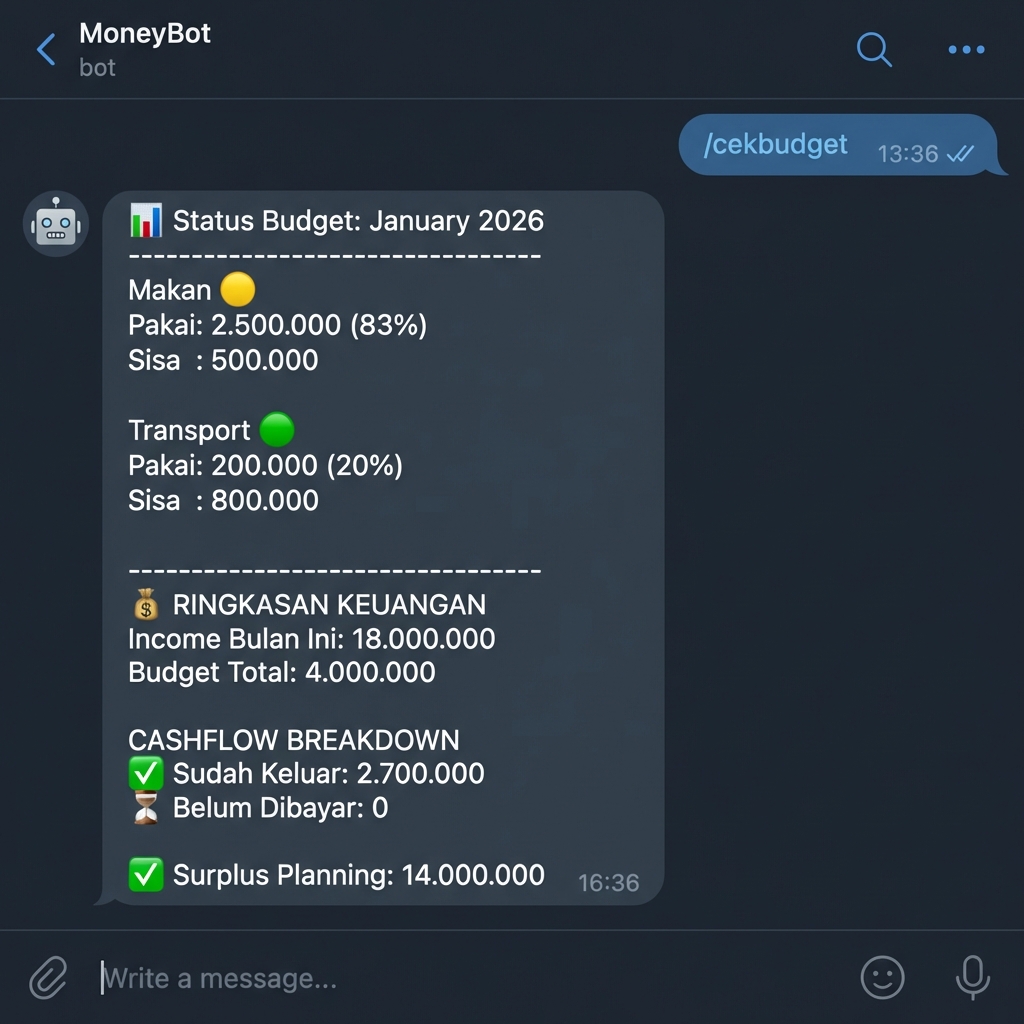
View all budgets with usage percentage, alert status, and forecast to end of month. Includes a breakdown of paid vs unpaid subscription bills.
Lihat semua budget dengan persentase penggunaan, status alert, dan perkiraan hingga akhir bulan. Termasuk rincian tagihan langganan yang sudah vs belum dibayar.
Telegram Response:
Respon Telegram:
Delete Budget
Hapus Budget
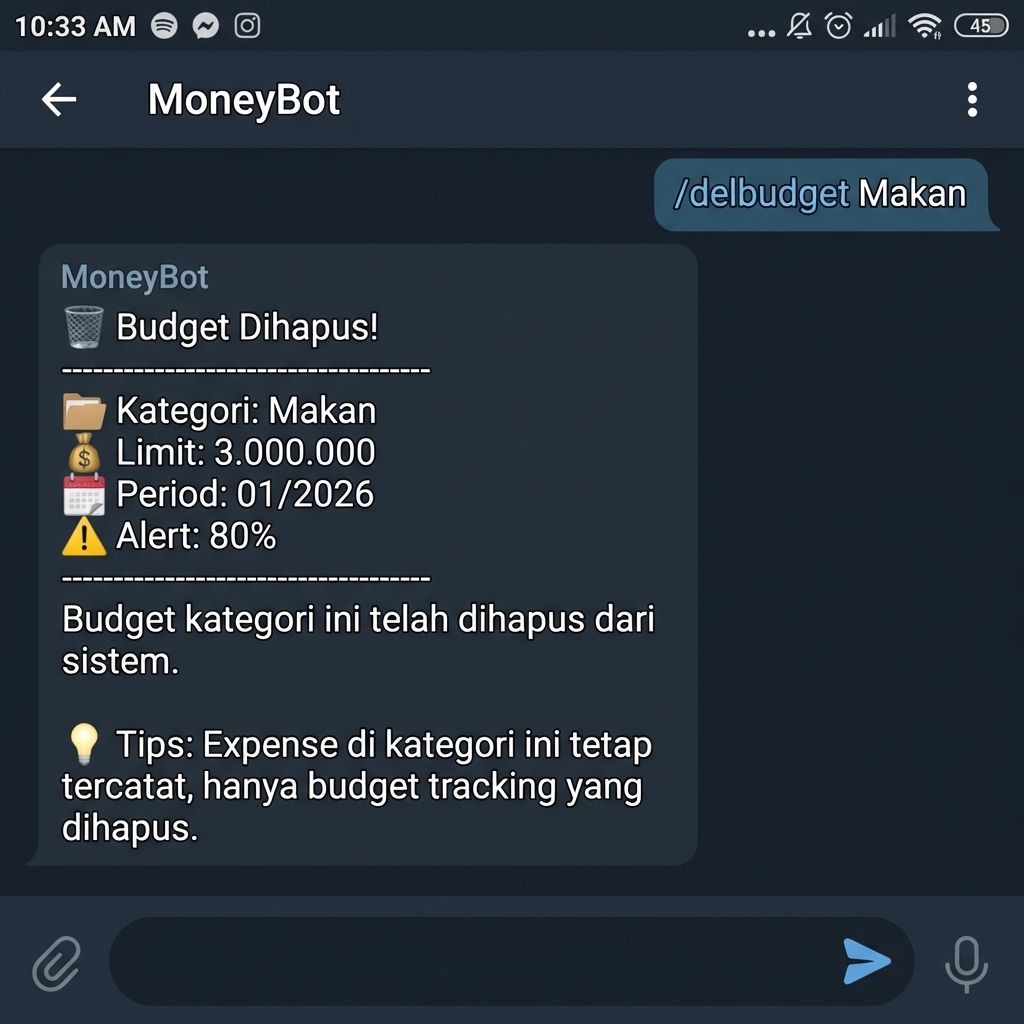
Remove a budget tracking for a specific category. Transactions in this category will still be recorded, but no longer tracked against a limit.
Hapus pelacakan budget untuk kategori tertentu. Transaksi di kategori ini akan tetap dicatat, namun tidak lagi dilacak terhadap limit.
/delbudget Makan
Telegram Response:
Respon Telegram:
Auto-Heal Budget
Auto-Heal Budget
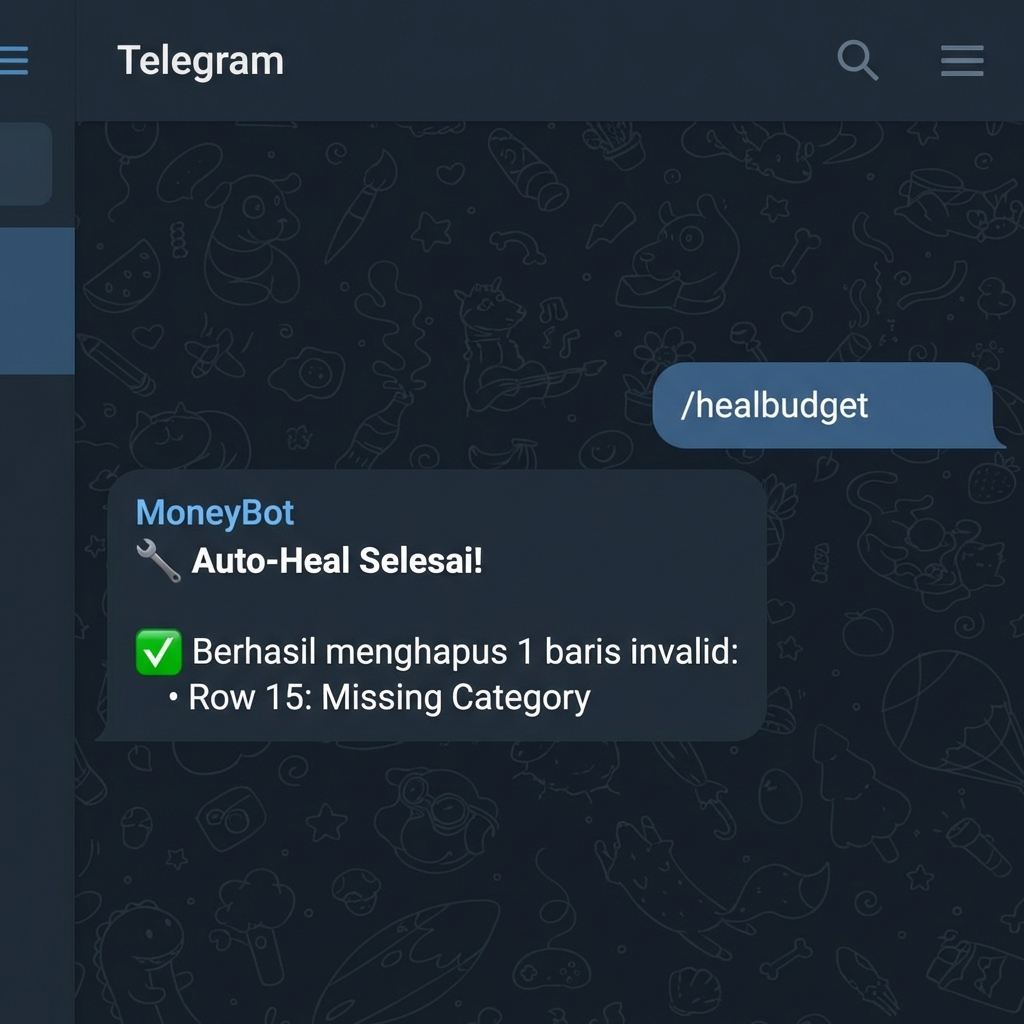
Automatically identifies and cleans up invalid or corrupted rows in the Budget sheet (e.g., missing IDs or categories).
Secara otomatis mengidentifikasi dan membersihkan baris yang tidak valid atau rusak di sheet Budget (misalnya: ID atau kategori yang hilang).
Telegram Response:
Respon Telegram:
⚖️ Debt & Receivables Management
⚖️ Manajemen Hutang & Piutang
Record Debt (You owe)
Catat Hutang (Anda berhutang)
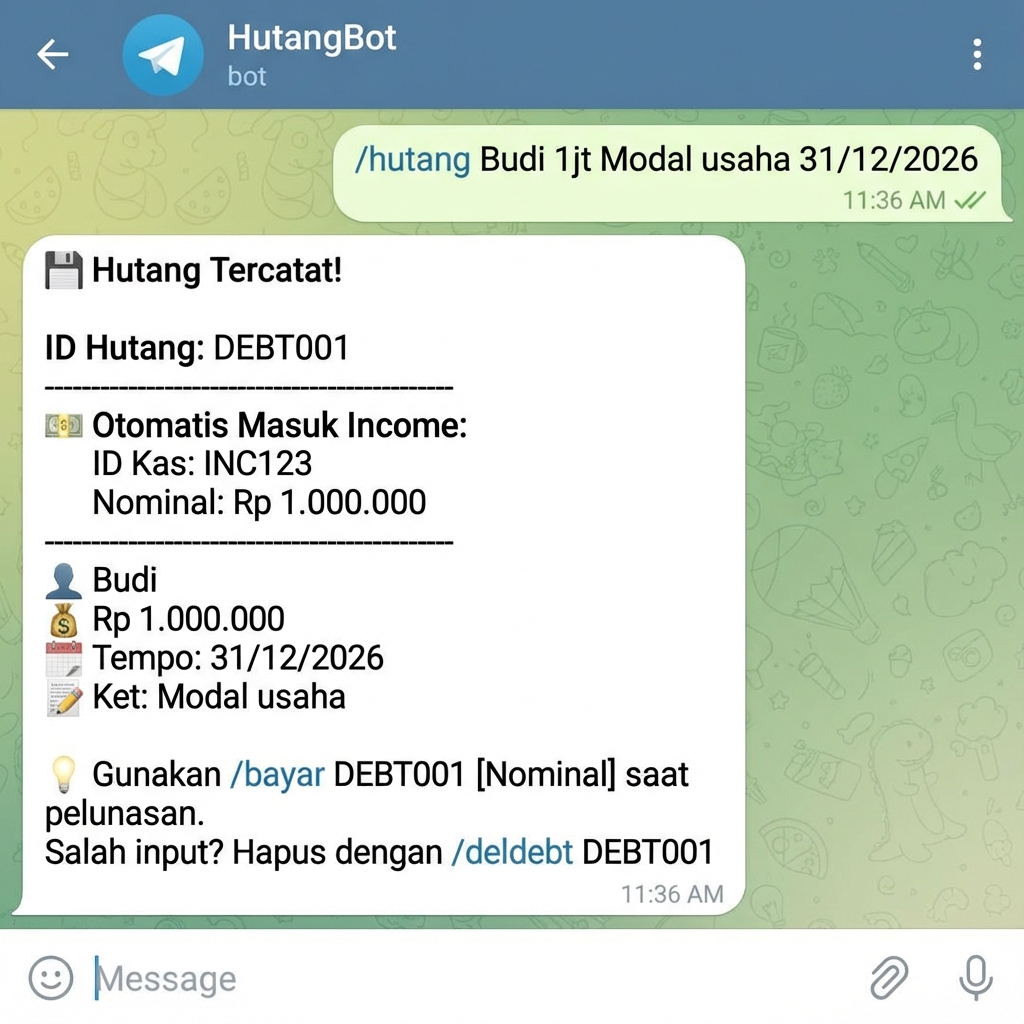
/hutang TemenA 5jt pinjaman 2026-02-28/hutang Bank 10jt KTA 2027-12-31
Record Opening Debt (Legacy)
Catat Hutang Lama (Saldo Awal)
Use this to record pre-existing debts without affecting today's cashflow.
Gunakan ini untuk mencatat hutang lama tanpa mempengaruhi arus kas hari ini.
/sethutangawal "Bank Mandiri" 50jt KPR 2035-12-31
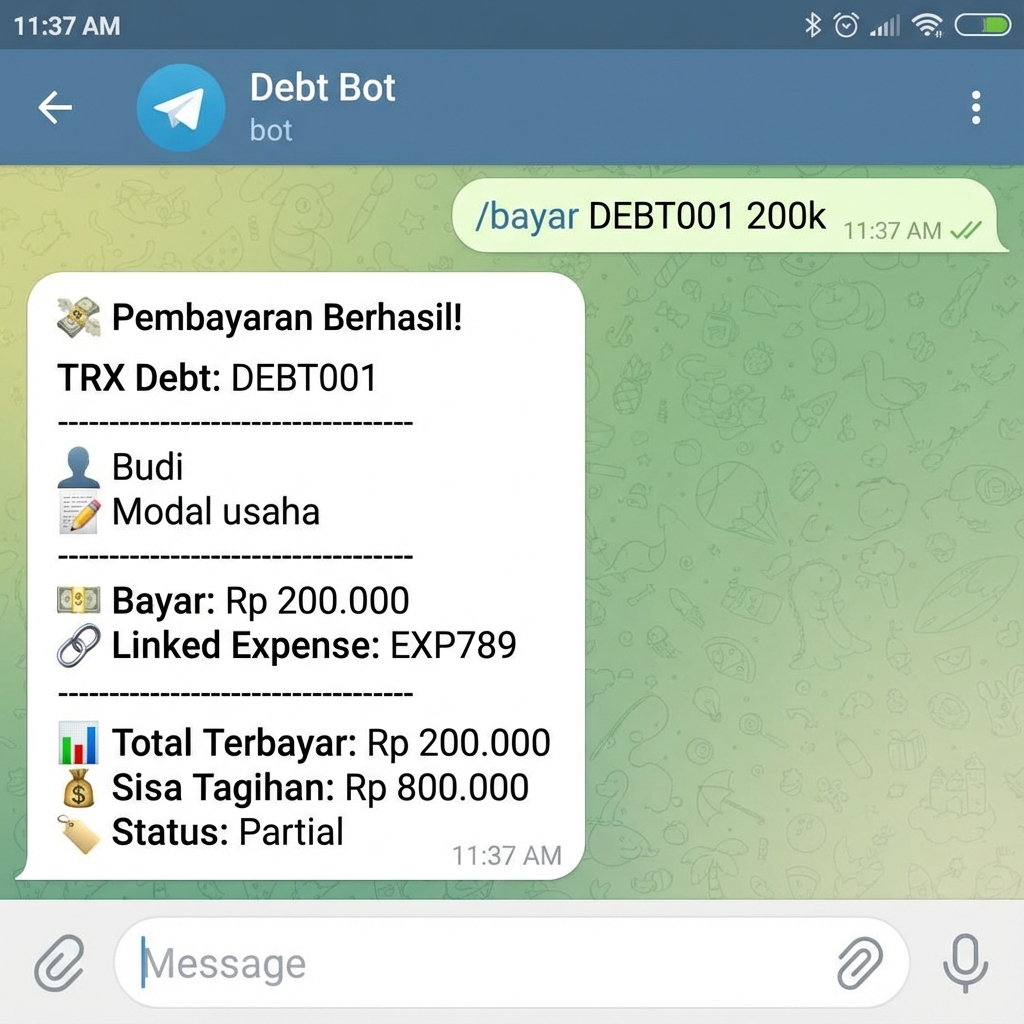
Pay Debt
Bayar Hutang
/bayar DBT001 2jt [Mandiri]/bayar DBT002 500k [Cash]
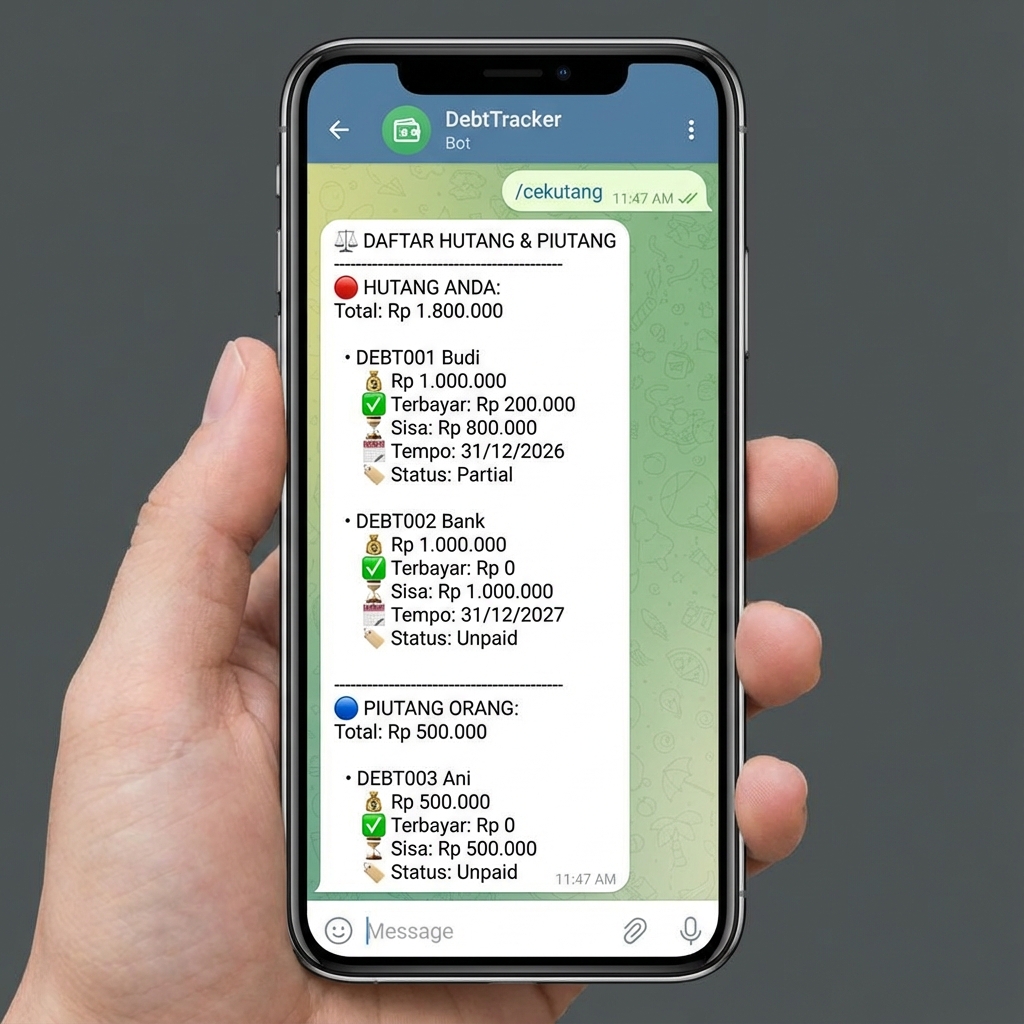
Check Debt Status
Cek Status Hutang
List all debts & receivables with status, due date, and overdue alerts.
Daftar semua hutang & piutang dengan status, tanggal jatuh tempo, dan alert overdue.
📺 Subscription Management
📺 Manajemen Langganan
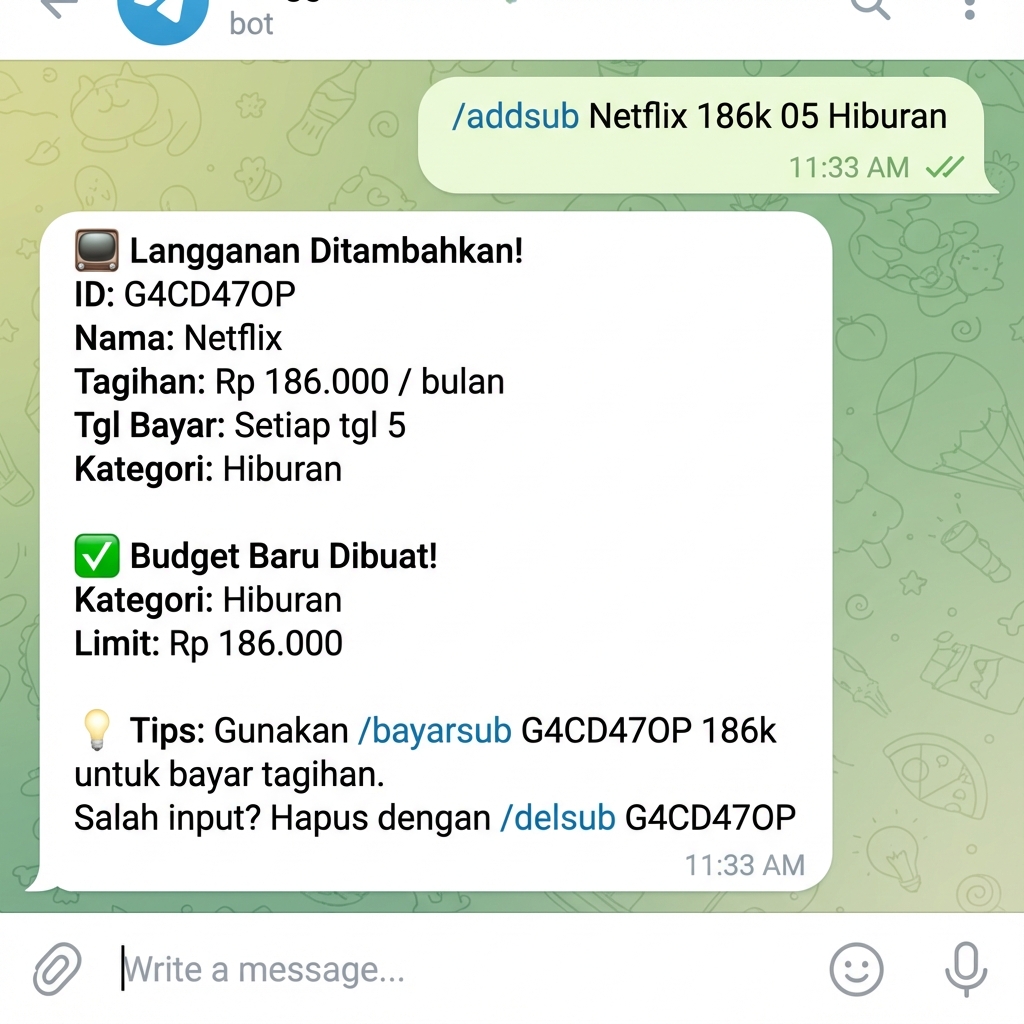
Add Subscription
Tambah Langganan
/addsub Netflix 186k 5 Hiburan/addsub Spotify 54990 10 Hiburan
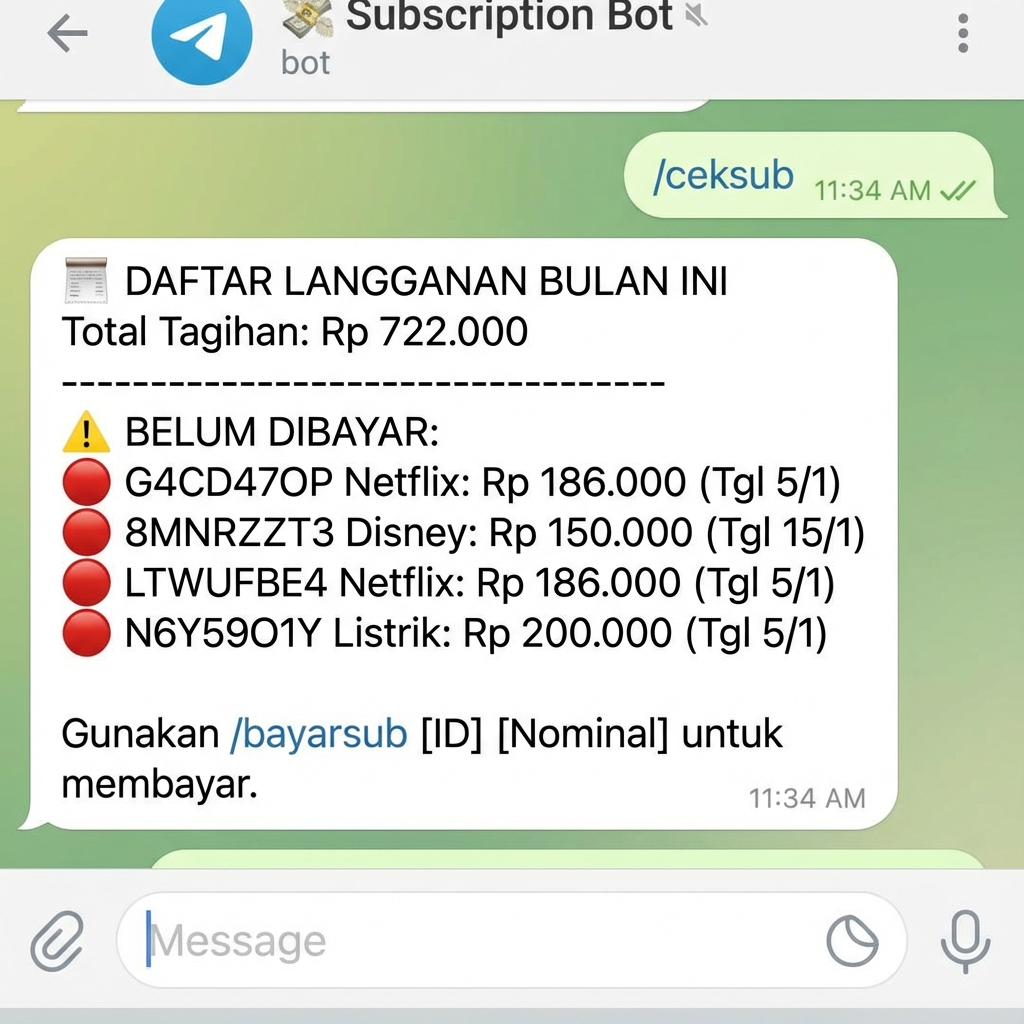
Check Subscriptions
Cek Langganan
List all subscriptions with payment status, next billing date, and monthly total.
Daftar semua langganan dengan status pembayaran, tanggal tagihan berikutnya, dan total bulanan.
Pay Subscription
Bayar Langganan
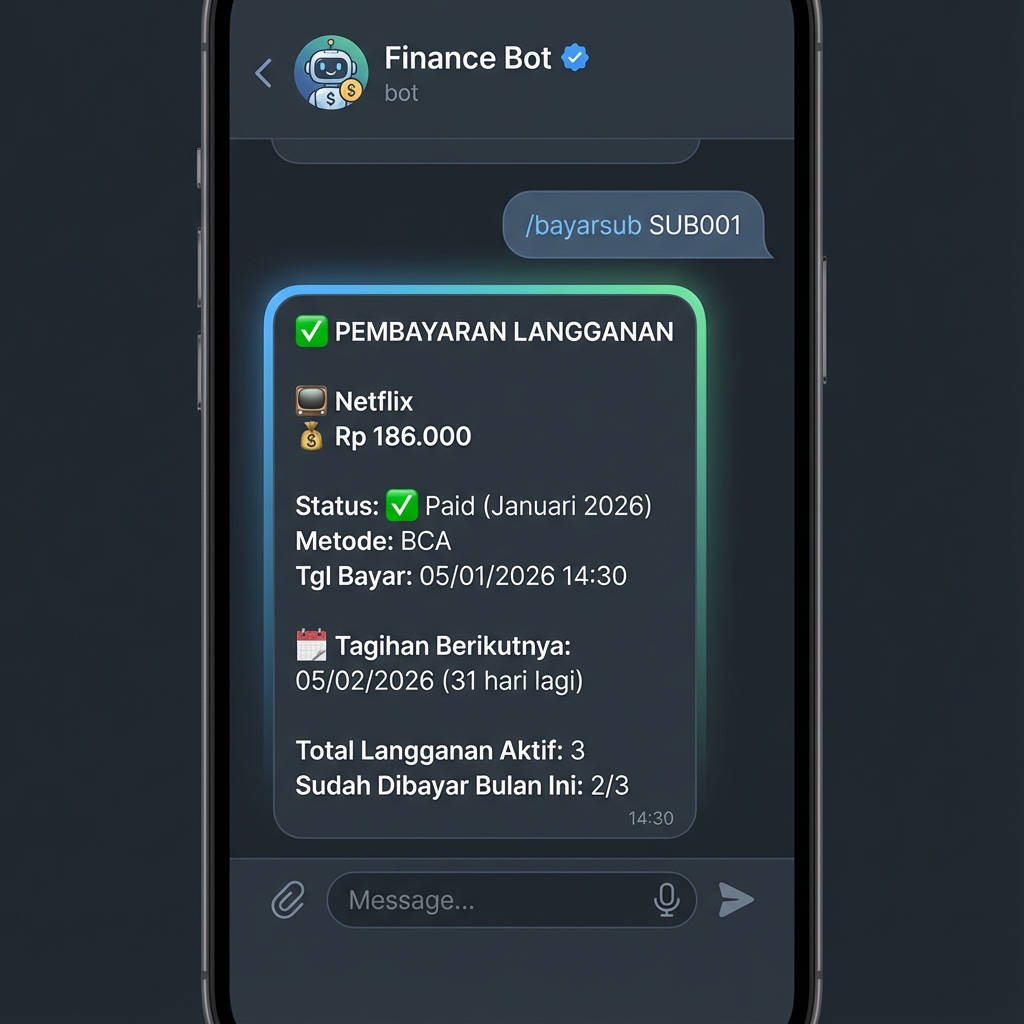
Mark subscription as paid for current month with automatic payment tracking.
Tandai langganan sebagai sudah dibayar untuk bulan ini dengan pelacakan pembayaran otomatis.
/bayarsub SUB001/bayarsub SUB002
🎯 Financial Goals
🎯 Target Keuangan
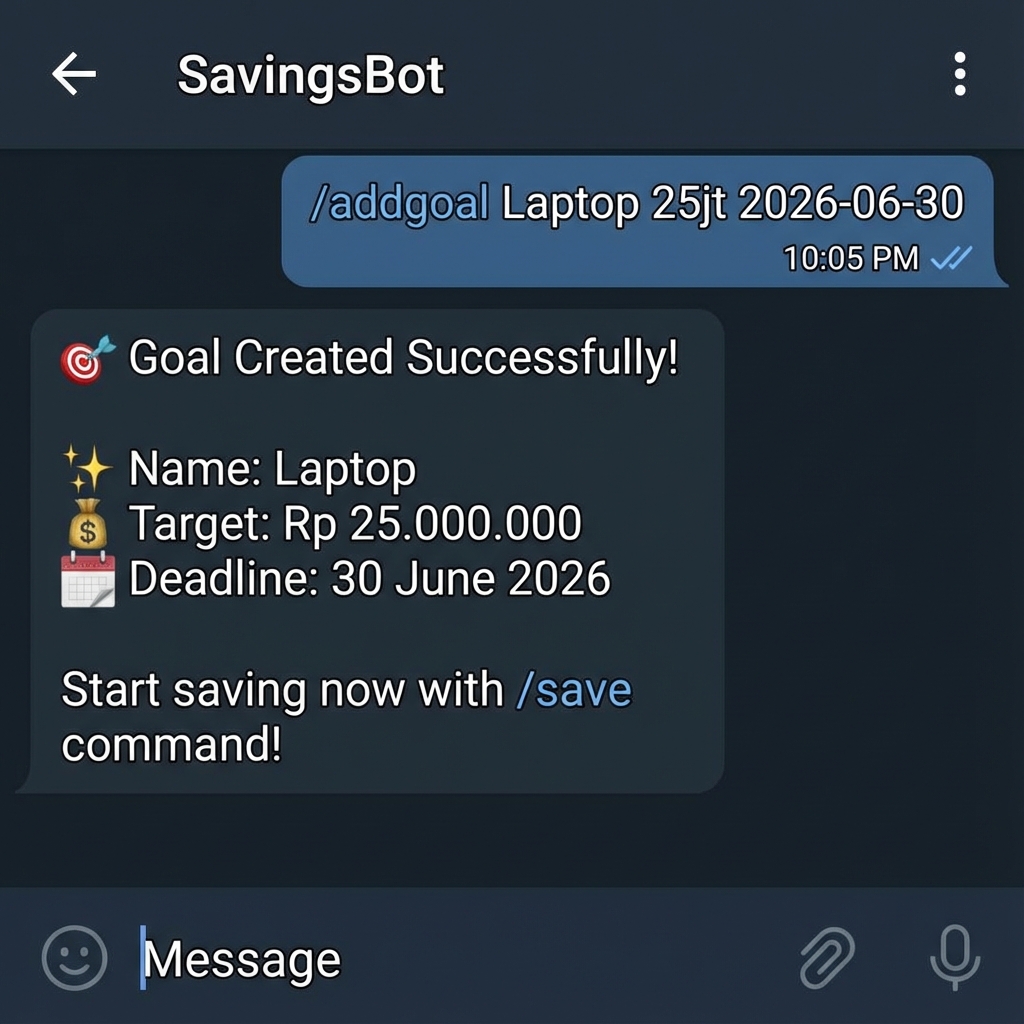
Add Goal
Tambah Target
/addgoal Emergency-Fund 50jt 2026-12-31/addgoal Laptop 25jt 2026-06-30
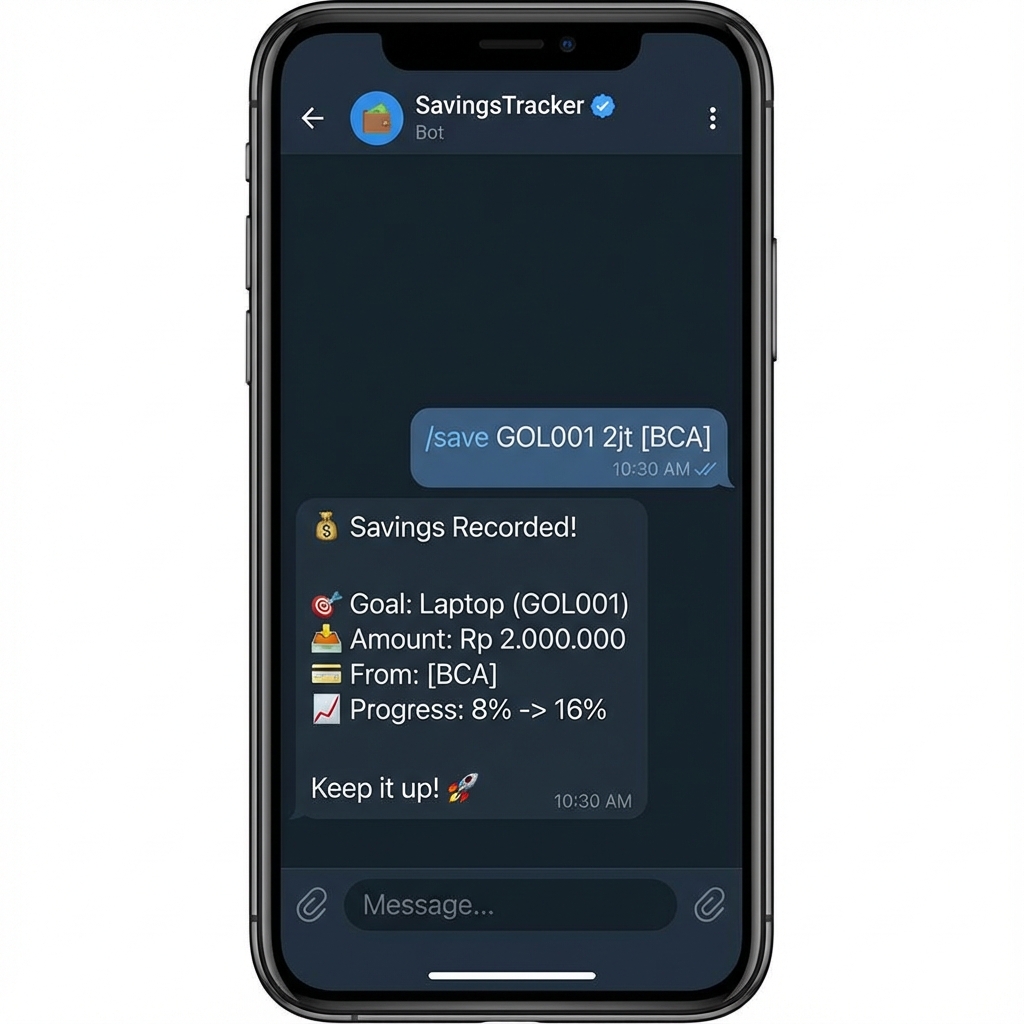
Save to Goal
Nabung ke Target
/save GOL001 2jt [BRI]/save GOL002 500k [Mandiri]
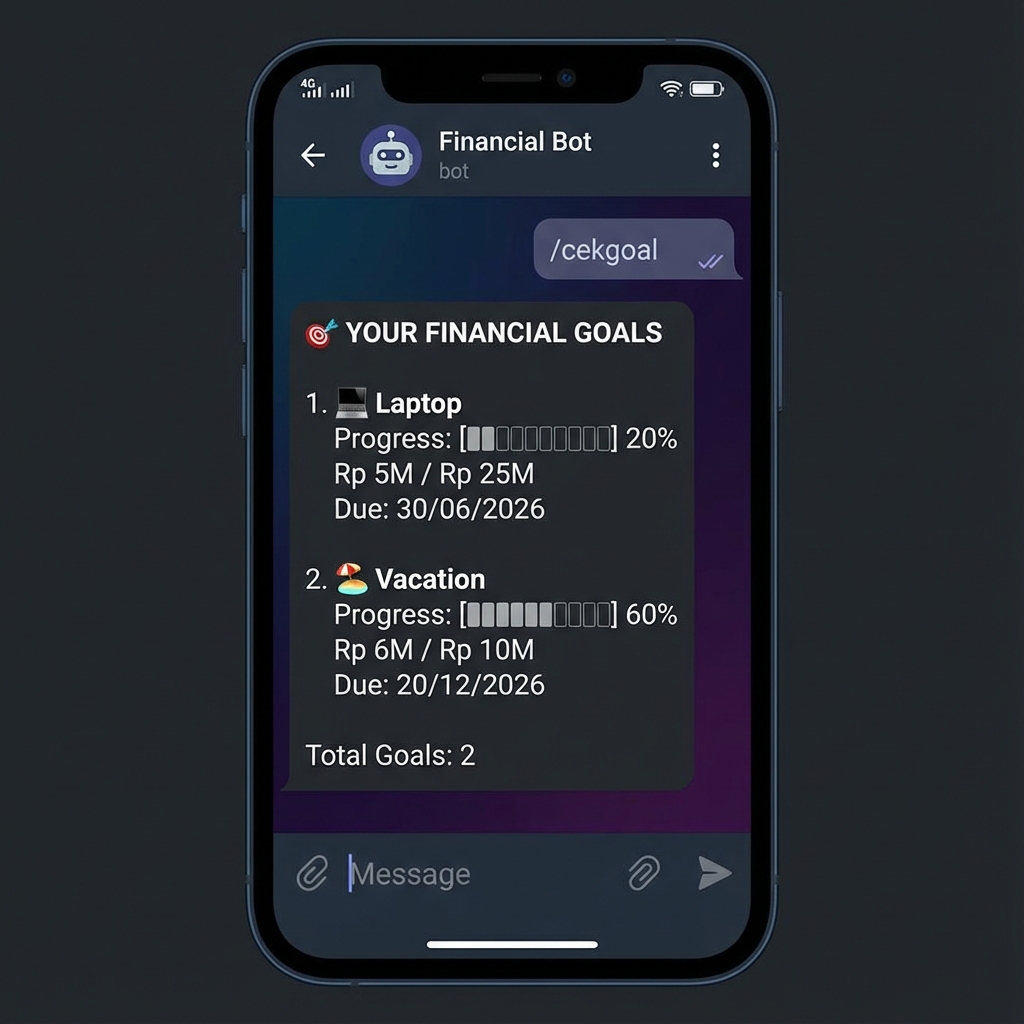
Check Goals
Cek Target
View all goals with progress bar, completion percentage, and estimated monthly save needed.
Lihat semua target dengan progress bar, persentase penyelesaian, dan estimasi tabungan bulanan yang dibutuhkan.
Goal Details
Detail Target
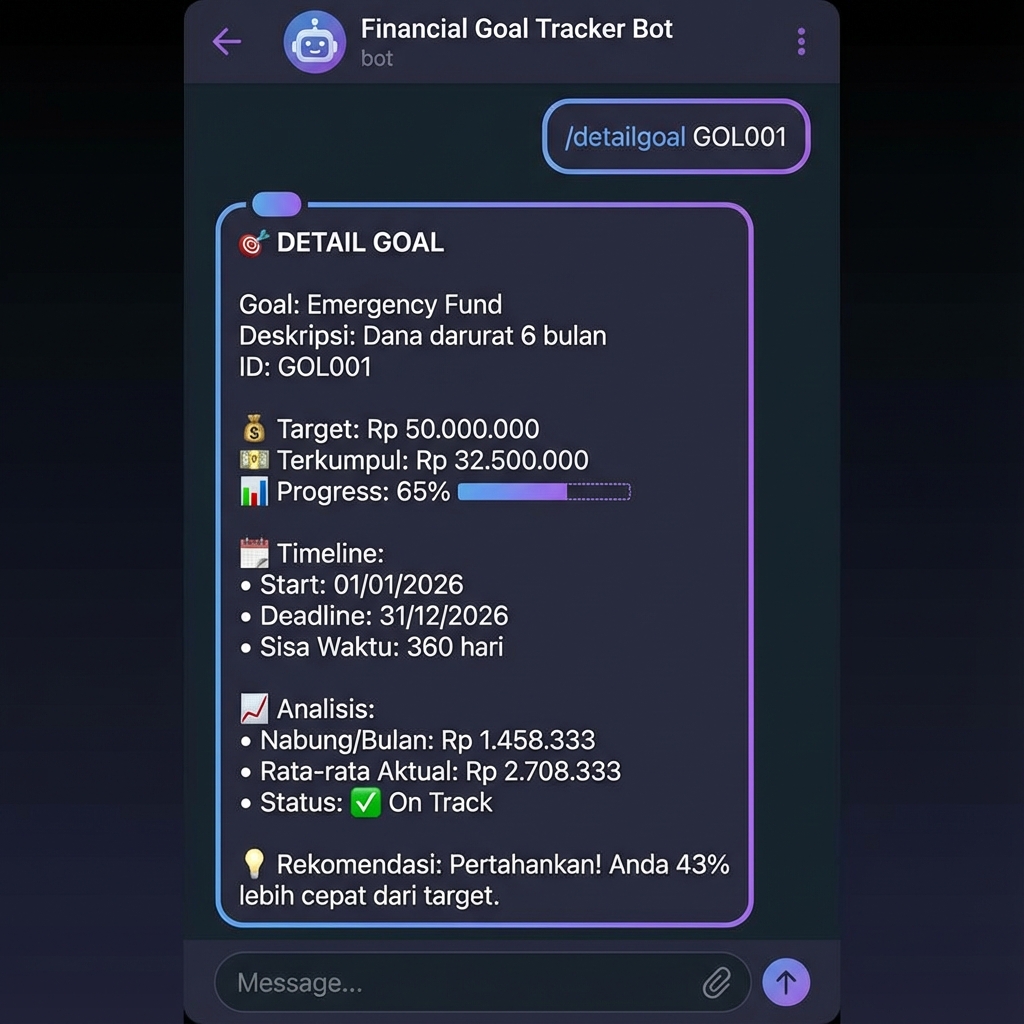
View comprehensive goal details with progress analysis, timeline, and AI recommendations.
Lihat detail lengkap target dengan analisis progress, timeline, dan rekomendasi AI.
/detailgoal GOL001/detailgoal GOL002
📊 Advanced Analytics
📊 Analitik Lanjutan
Financial Snapshot
Snapshot Keuangan
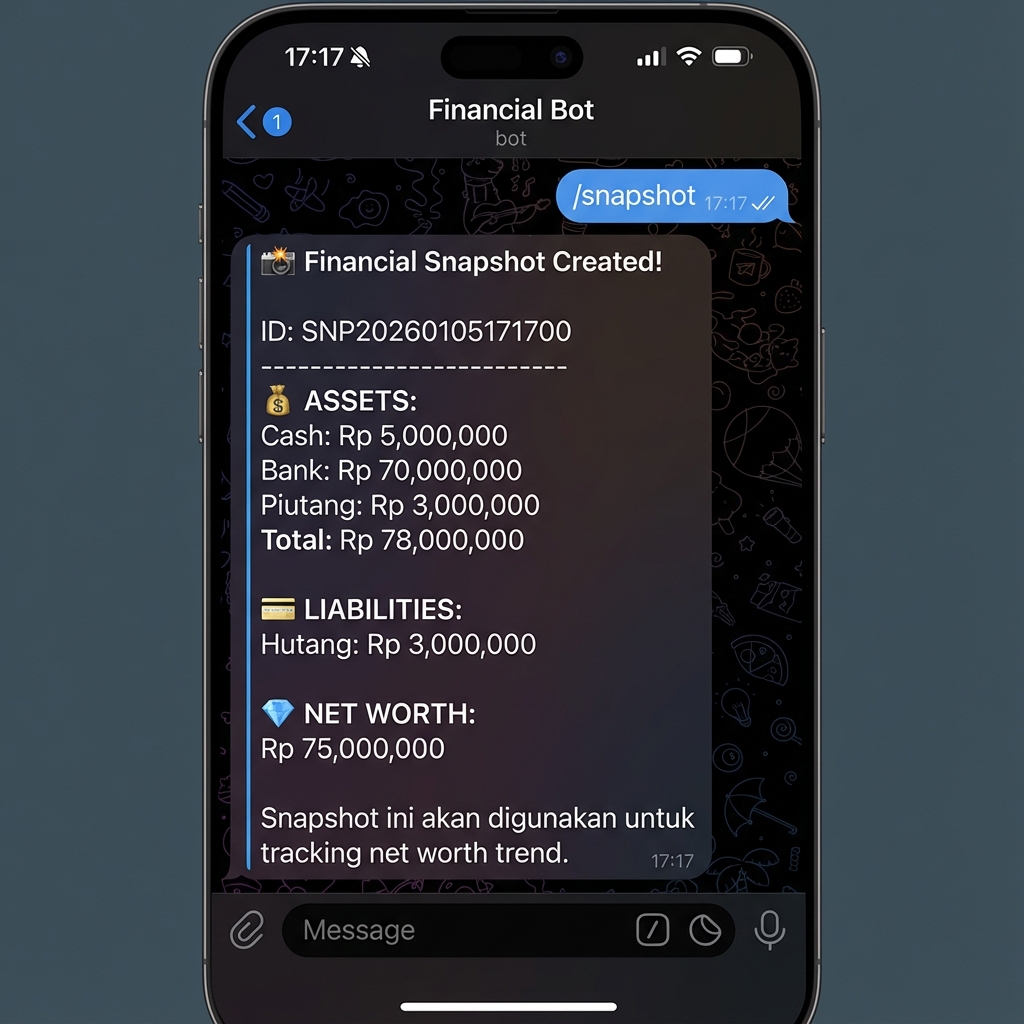
Create instant financial snapshot for net worth tracking. Snapshot saves Assets (Cash, Bank, Receivables), Liabilities (Debt), and Net Worth on a specific date.
Buat snapshot keuangan instan untuk pelacakan net worth. Snapshot menyimpan Aset (Cash, Bank, Piutang), Kewajiban (Hutang), dan Net Worth pada tanggal tertentu.
Net Worth History
Riwayat Net Worth
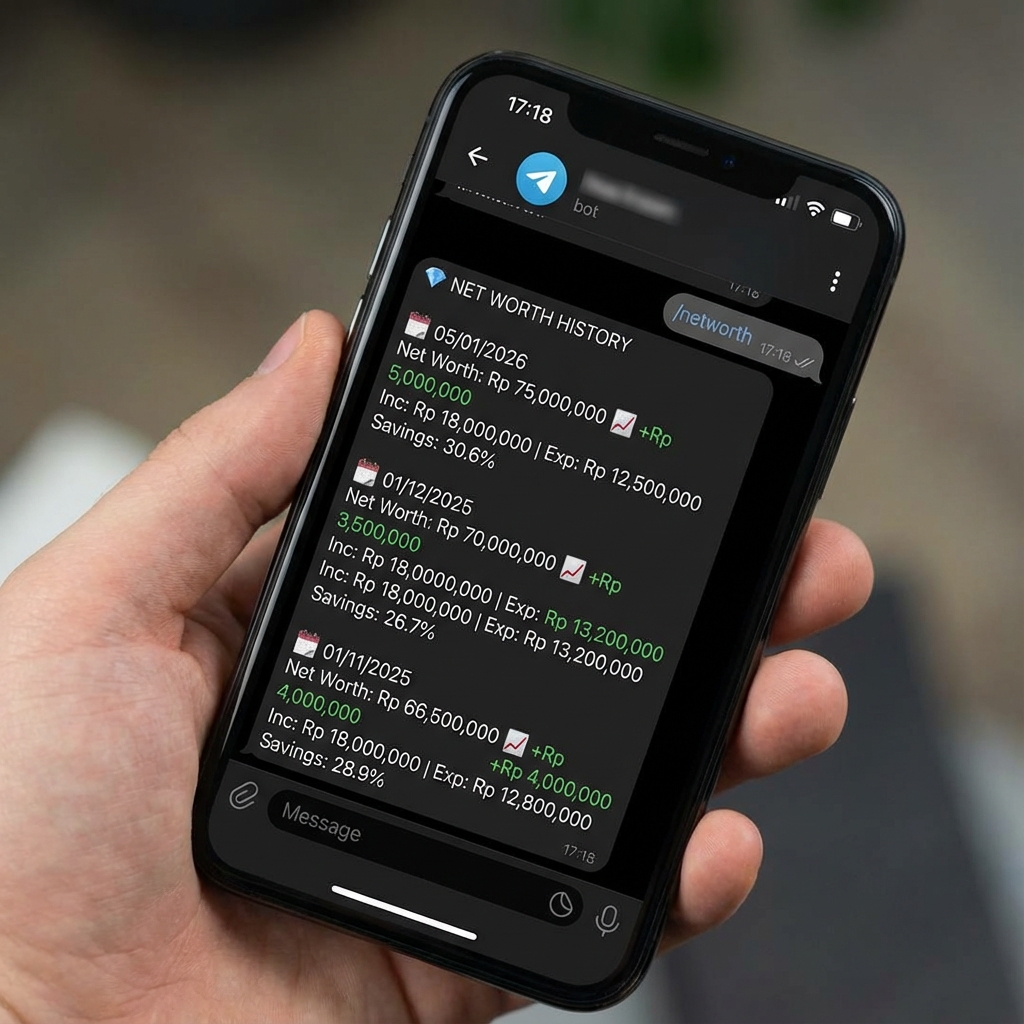
View net worth progression from month to month with income/expense breakdown and savings rate.
Lihat perkembangan net worth dari bulan ke bulan dengan breakdown income/expense dan savings rate.
Financial Health Score
Skor Kesehatan Keuangan
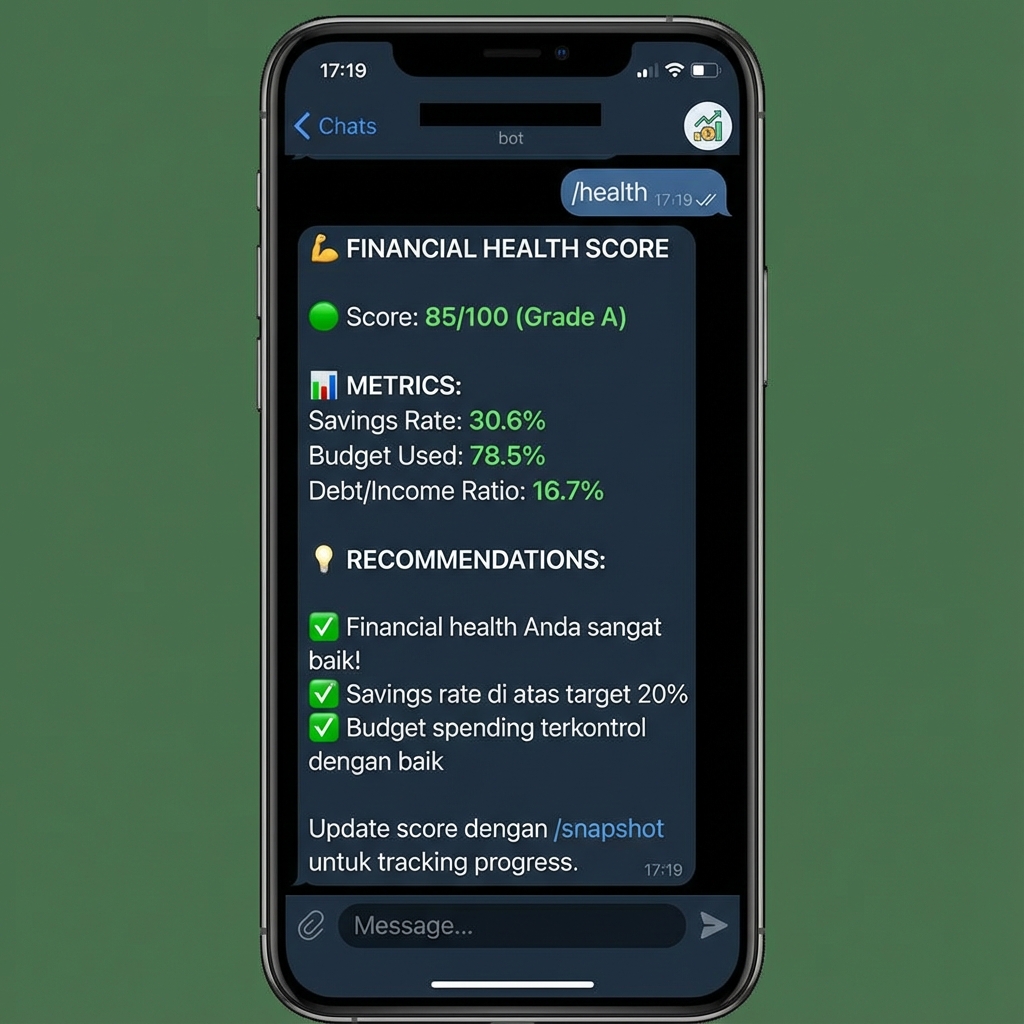
AI-powered financial health assessment with score 0-100 and grading A+ to F. Includes personalized recommendations.
Penilaian kesehatan keuangan berbasis AI dengan skor 0-100 dan grading A+ hingga F. Termasuk rekomendasi personal.
- Savings Rate
- Budget Used %
- Debt/Income Ratio
- Emergency Fund Status
Monthly Report
Laporan Bulanan
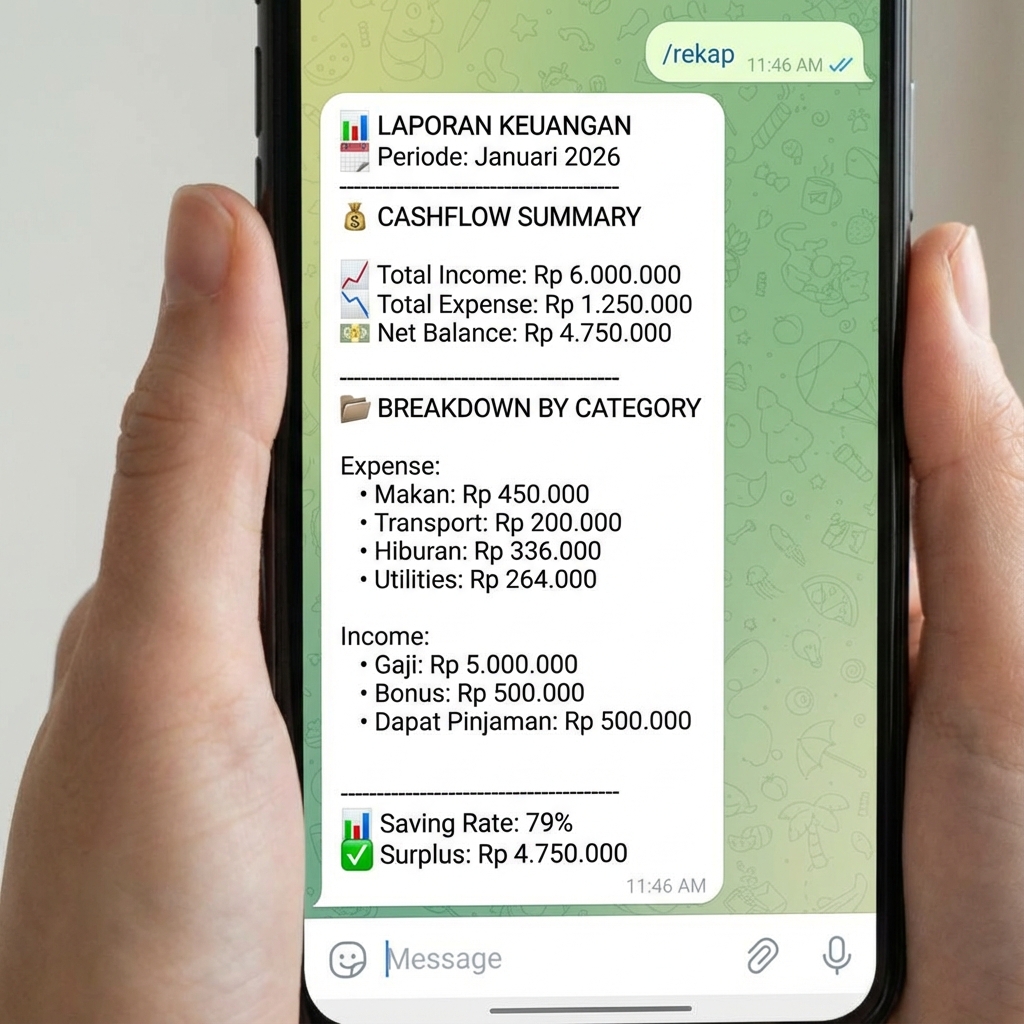
Comprehensive monthly/yearly financial report with breakdown by category.
Laporan keuangan bulanan/tahunan komprehensif dengan breakdown per kategori.
📊 Visual Charts
📊 Grafik Visual
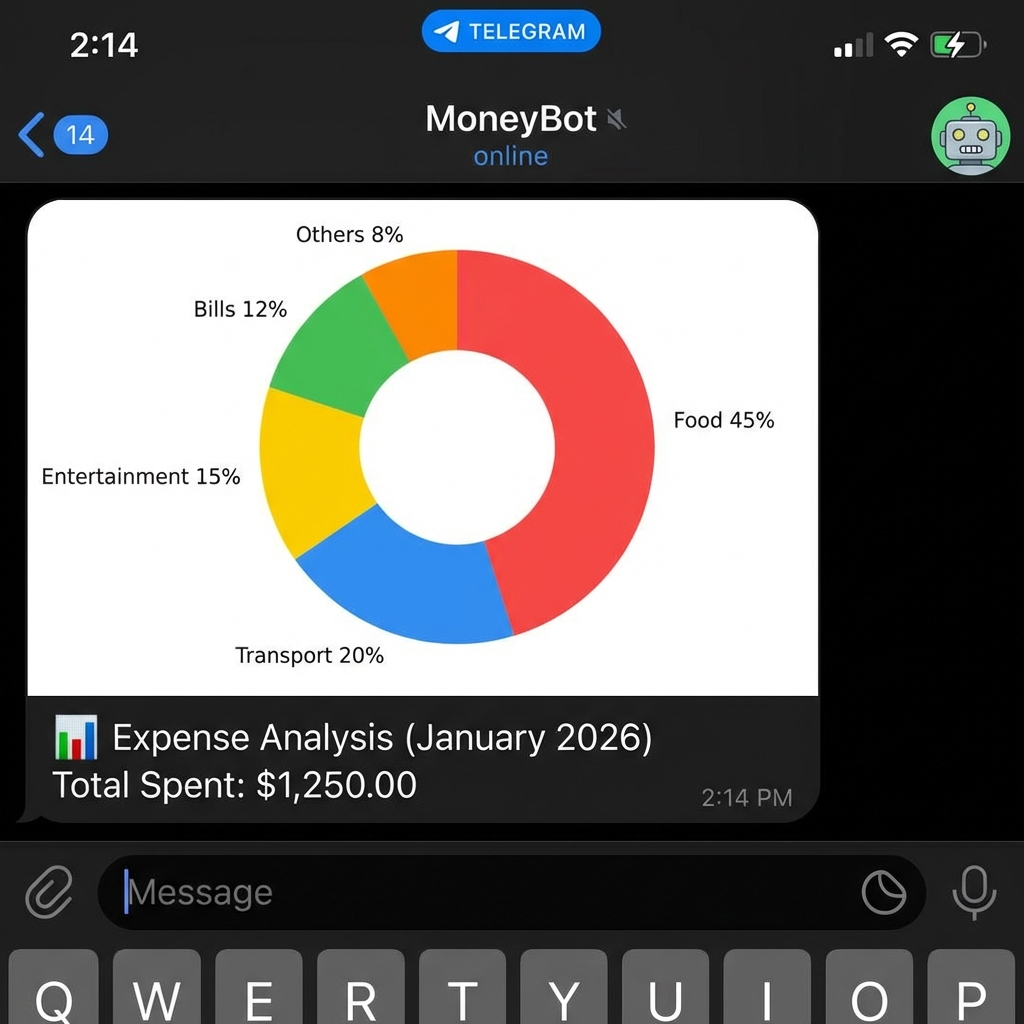
Generate beautiful visual charts directly in Telegram! See your financial data come to life with pie charts, bar charts, and trend lines.
Buat grafik visual yang indah langsung di Telegram! Lihat data keuangan Anda menjadi hidup dengan pie chart, bar chart, dan trend line.
Expense Chart
Grafik Pengeluaran
Visualize your expense breakdown by category.
Visualisasikan breakdown pengeluaran berdasarkan kategori.
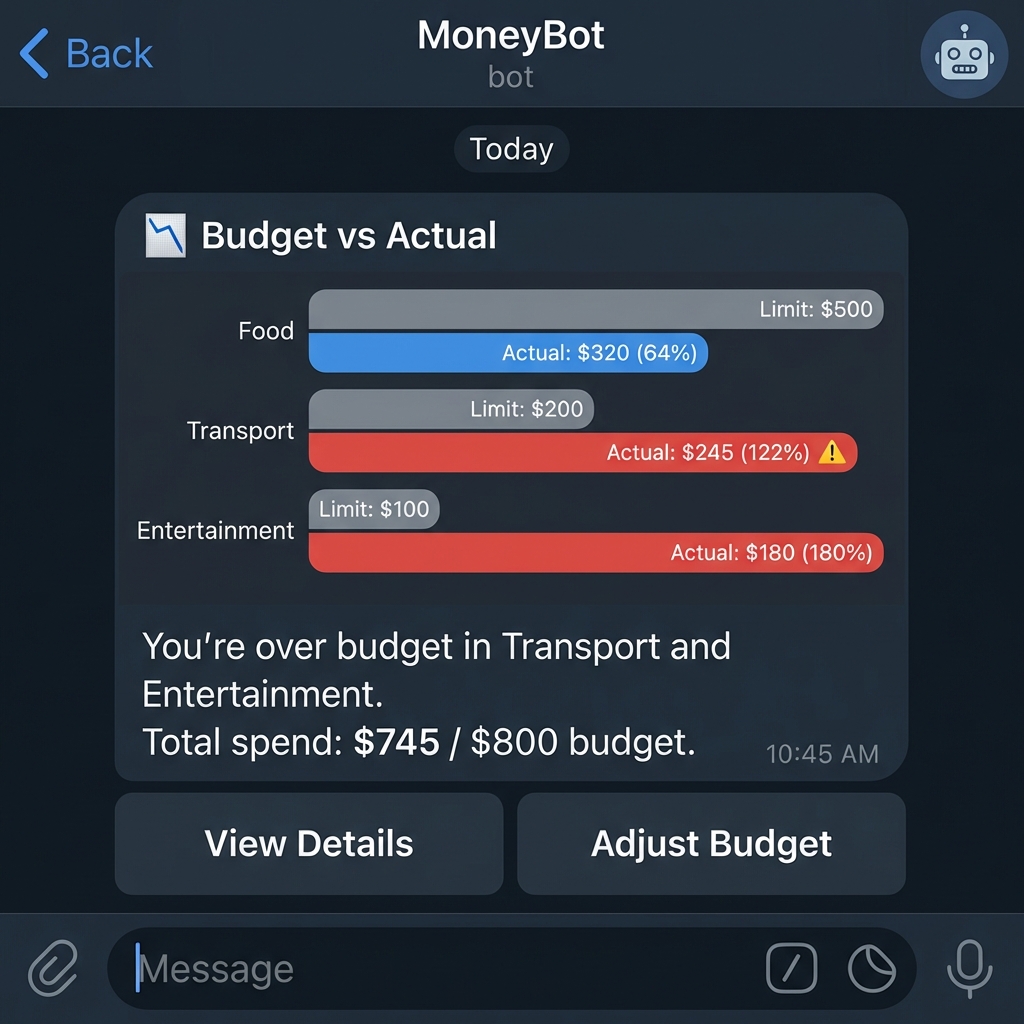
Budget vs Actual
Budget vs Aktual
Compare limits with actual spending.
Bandingkan batas budget dengan pengeluaran aktual.
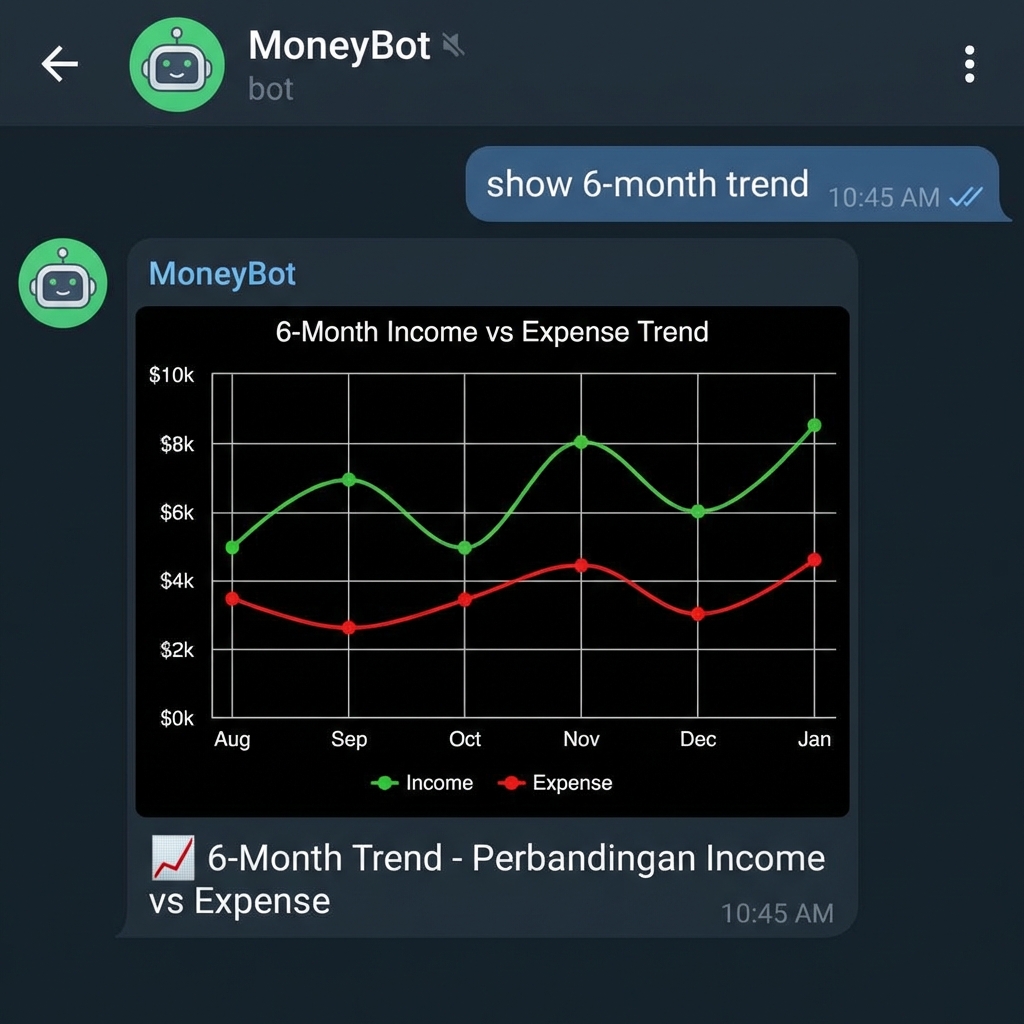
6-Month Trend
Trend 6 Bulan
Income vs Expense trend over time.
Trend Pemasukan vs Pengeluaran seiring waktu.
Net Worth History
Riwayat Kekayaan Bersih
Track your net worth growth.
Lacak pertumbuhan kekayaan bersih Anda.
/snapshot usage.
Butuh /snapshot berkala.
⏱️ Real-time Process Time Monitoring
⏱️ Pemantauan Waktu Proses Real-time
Status Indicators
Indikator Status
Excellent
< 2 seconds
Warm cache, fast DB operations
Cache aktif, operasi DB cepat
Normal
2 - 5 seconds
Typical database operations
Operasi database tipikal
Slow
> 5 seconds
Cold start, heavy operations
Cold start, operasi berat
How It Works
Cara Kerja
The system measures the total time from receiving your Telegram message to saving data in your Google Spreadsheet and sending back the confirmation. This includes network communication and database operations.
Sistem mengukur total waktu dari menerima pesan Telegram Anda hingga menyimpan data di Google Spreadsheet dan mengirim kembali konfirmasi. Ini termasuk komunikasi jaringan dan operasi database.
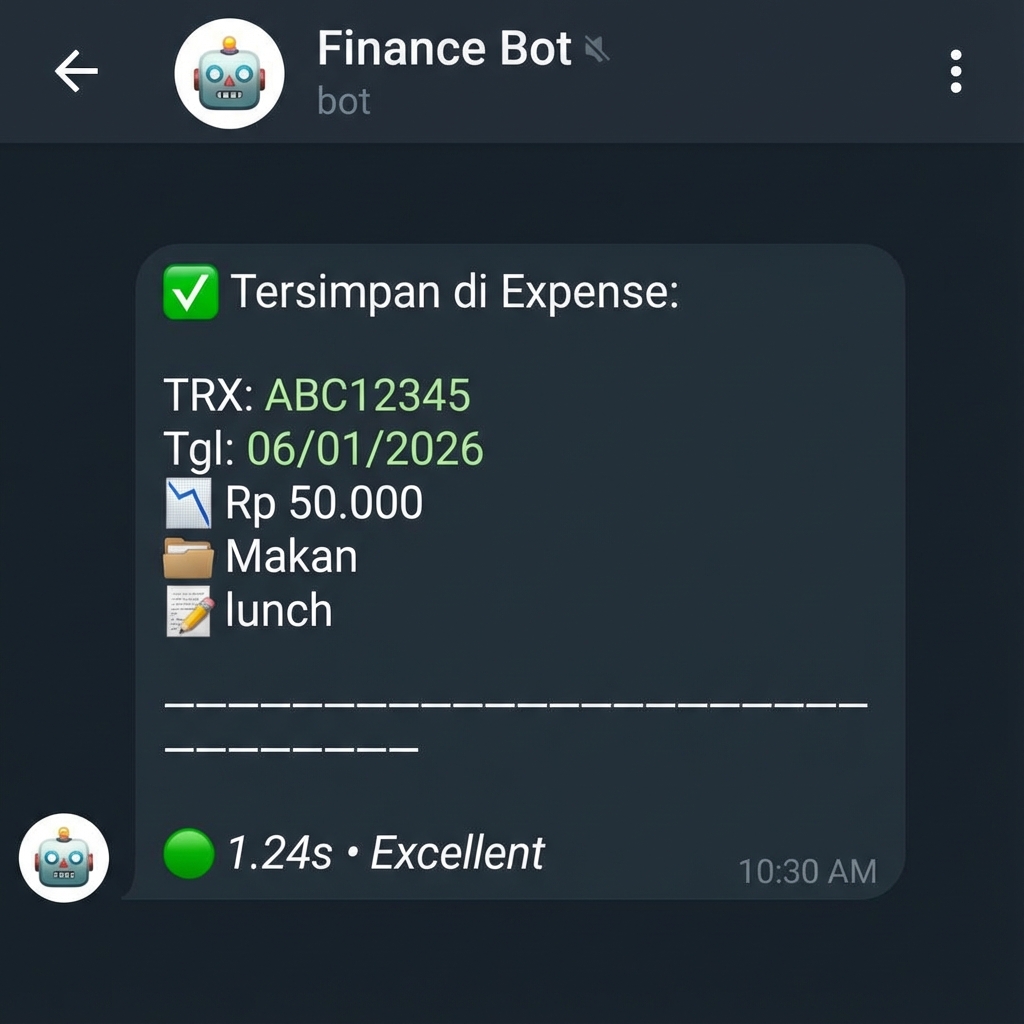
Example Response
Contoh Respons
TRX: ABC12345
Tgl: 06/01/2026
📉 Rp 50.000
📂 Makan
📝 lunch
━━━━━━━━━━━━━━━
🟢 1.87s • Excellent
/optimize to improve performance, or /archive to archive old data.
Tips: Jika Anda terus melihat indikator 🔴 Slow, coba gunakan
/optimize untuk meningkatkan performa, atau /archive untuk mengarsipkan
data lama.
🔧 System Commands
🔧 Perintah Sistem
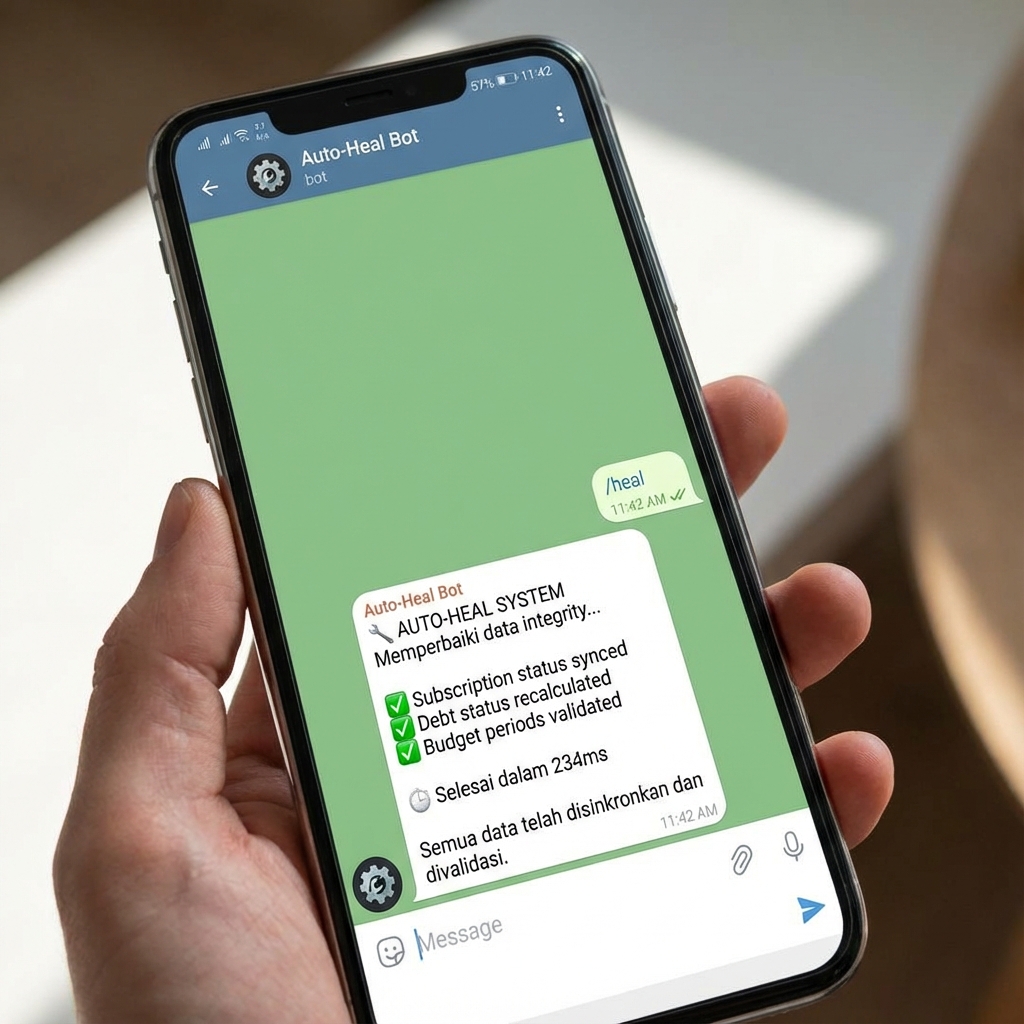
Auto Heal
Penyembuhan Otomatis
Run auto-heal for data integrity.
Jalankan auto-heal untuk integritas data.
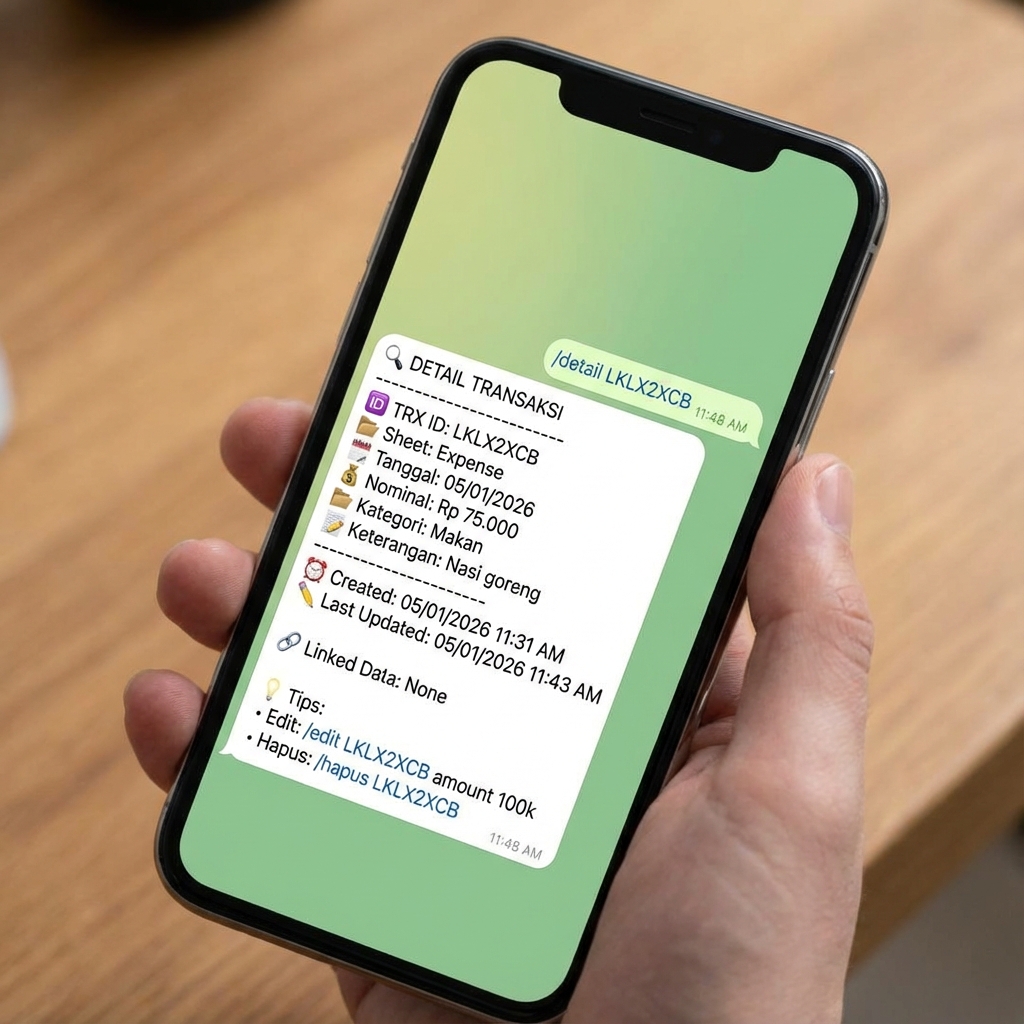
Transaction Detail
Detail Transaksi
View comprehensive transaction details.
Lihat detail lengkap sebuah transaksi.
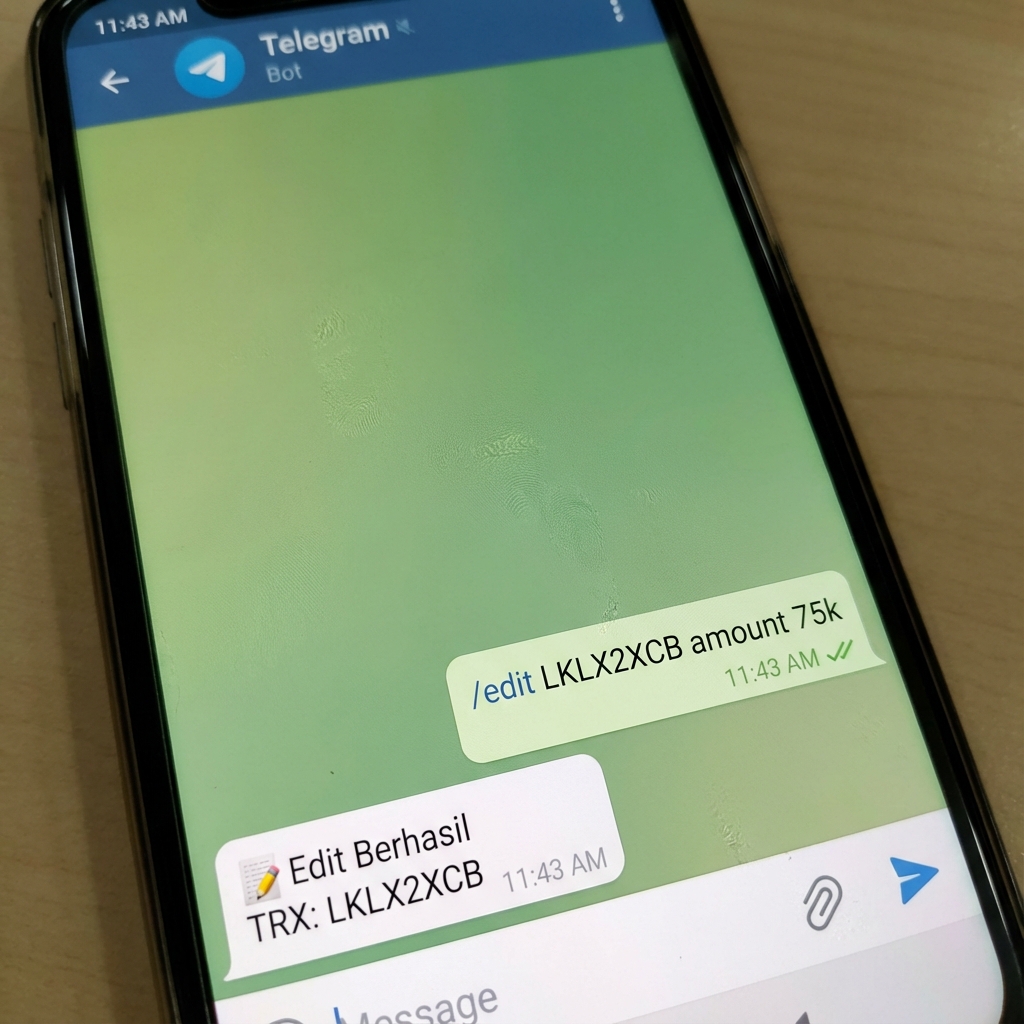
Edit Transaction
Edit Transaksi
Modify existing transaction fields.
Ubah field transaksi yang ada.
Delete Transaction
Hapus Transaksi
Soft delete (recoverable).
Soft delete (bisa dipulihkan).
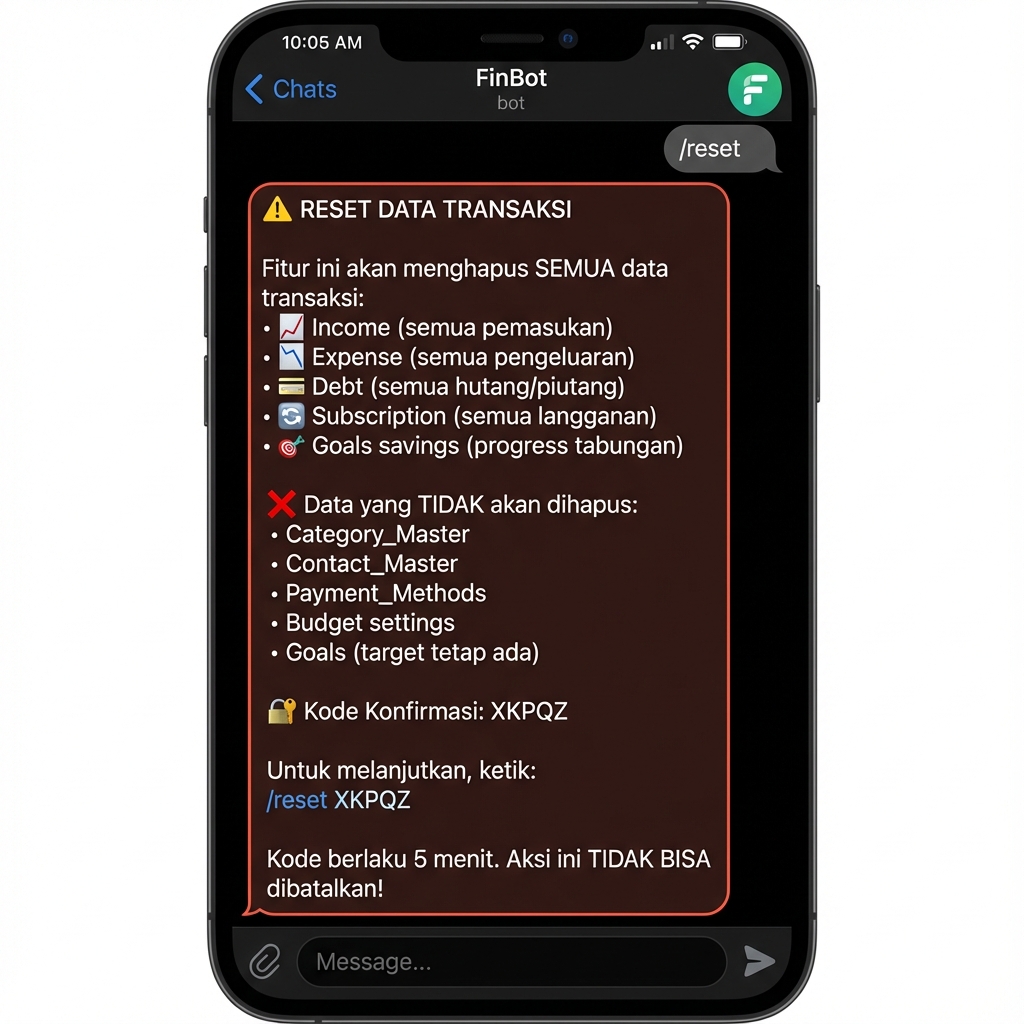
⚠️ Reset Transaction Data
⚠️ Reset Data Transaksi
How to Use
Cara Pakai
- Type
/reset - Get 5-letter code (e.g., ABCDE)
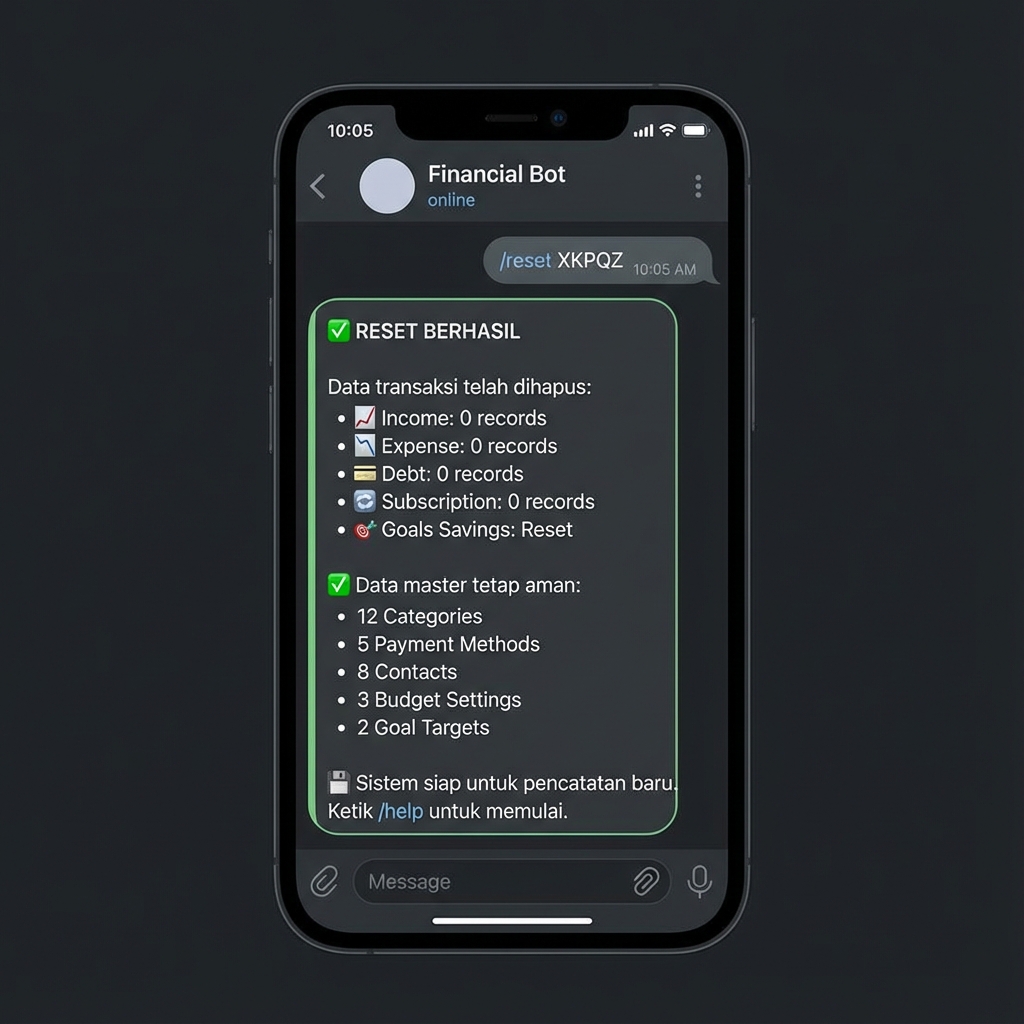
- Reply with
/reset ABCDE
/snapshot first!
Tips: Selalu /snapshot dulu!
- 📈 Income / Pemasukan
- 📉 Expense / Pengeluaran
- 💳 Debt / Hutang Piutang
- 🔄 Subscription / Langganan
- 🎯 Goals Savings Progress
Phase 1: Request Reset
Fase 1: Minta Reset
Phase 2: Confirmation
Fase 2: Konfirmasi
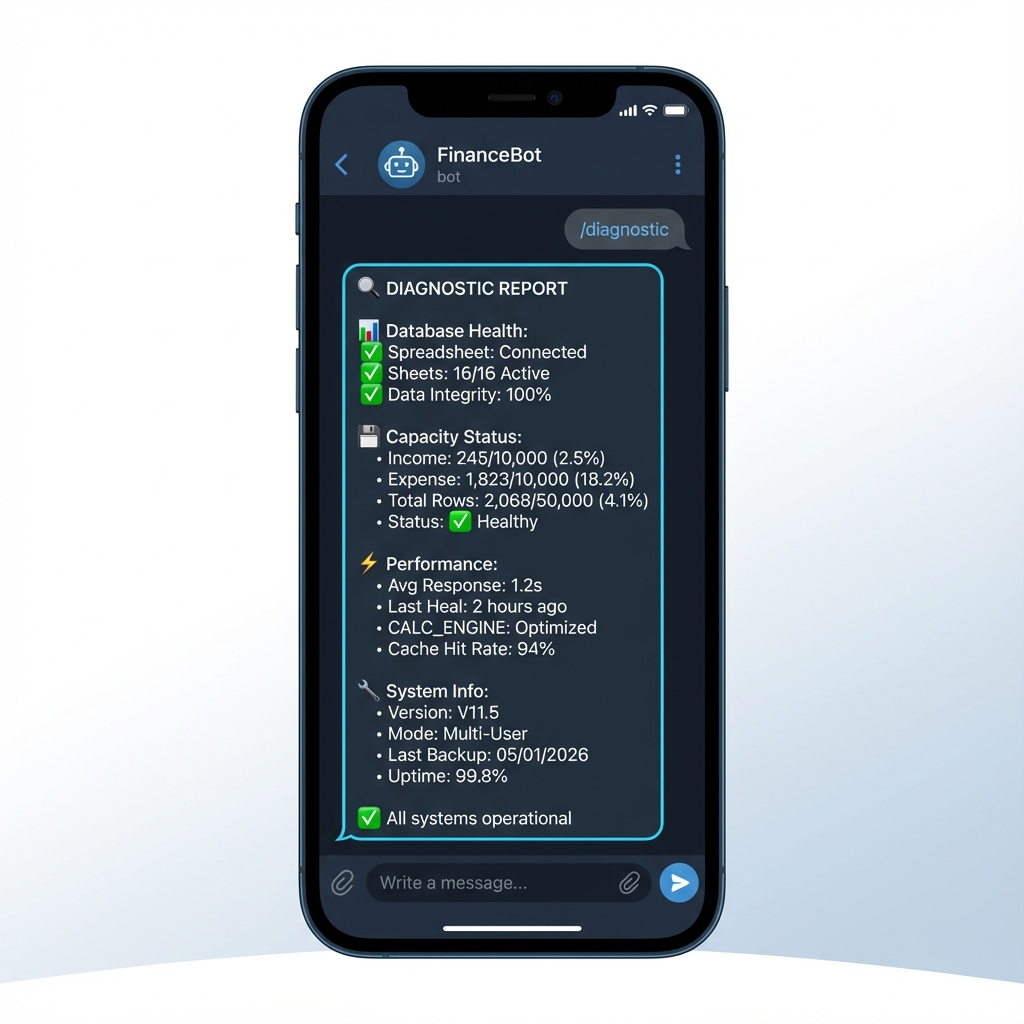
🔬 Advanced System Commands
🔬 Perintah Sistem Lanjutan
Diagnostic
Diagnostik
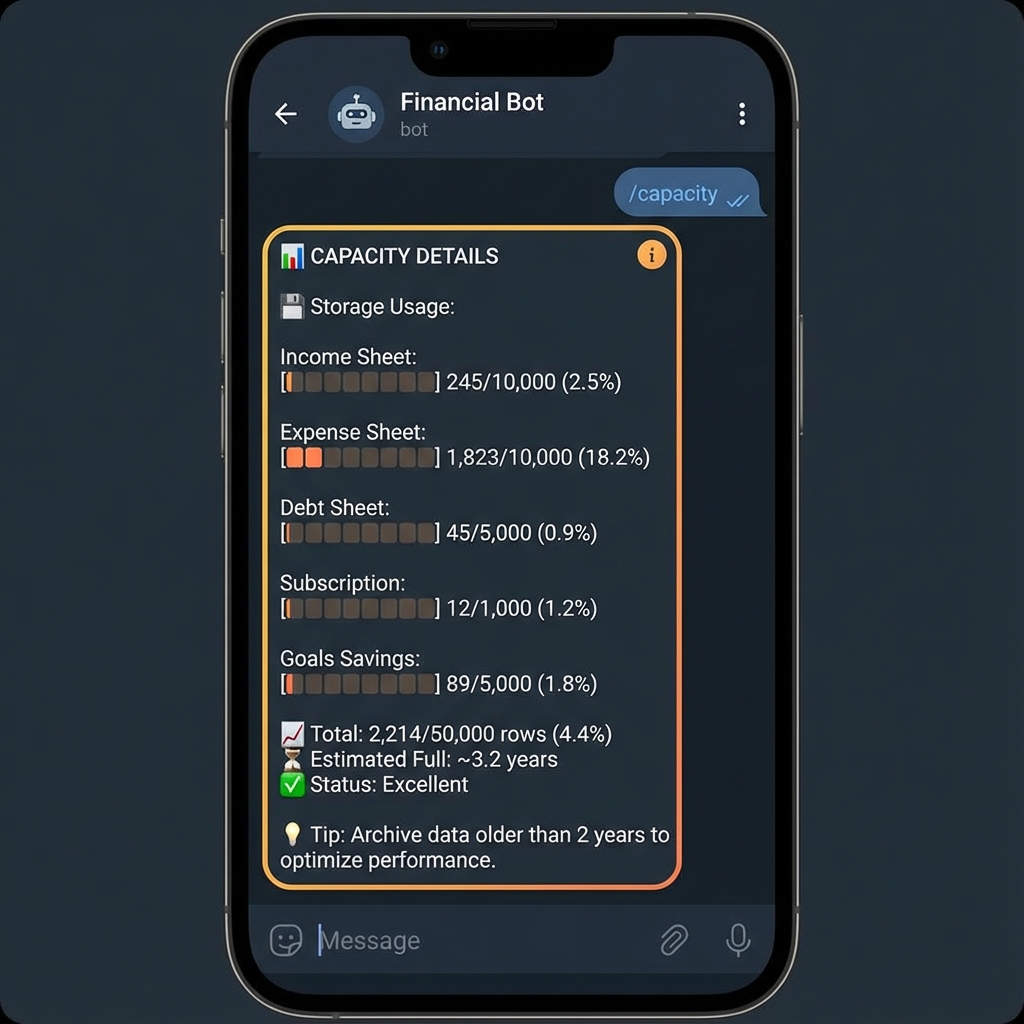
Capacity
Kapasitas
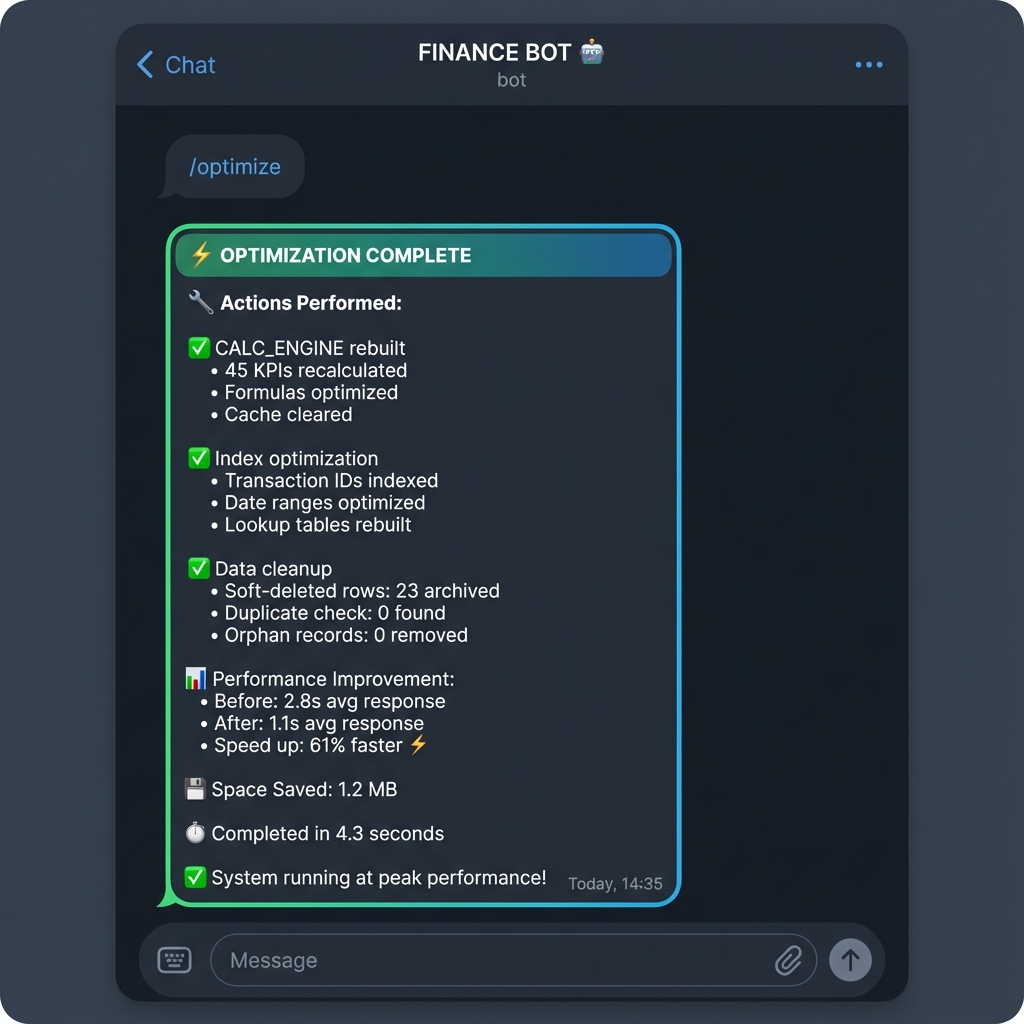
Optimization
Optimasi
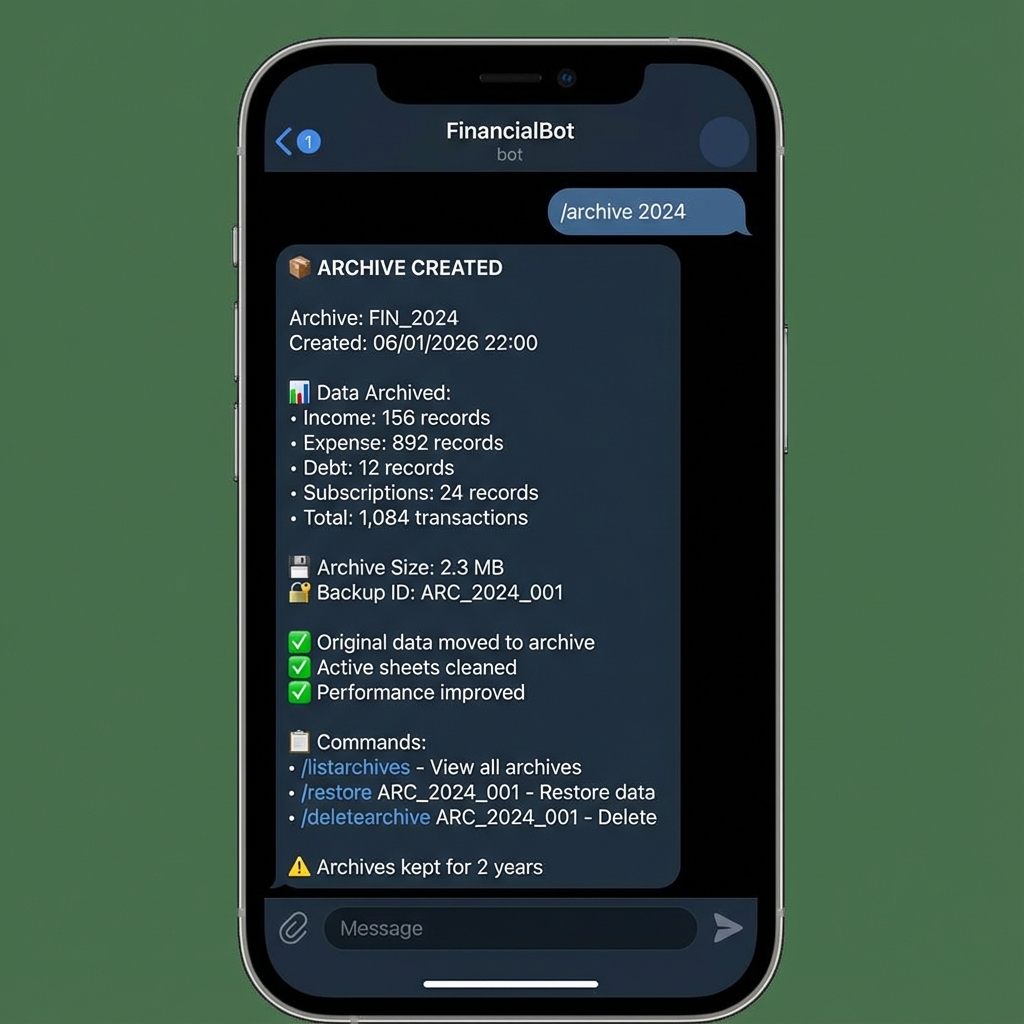
Archiving
Pengarsipan
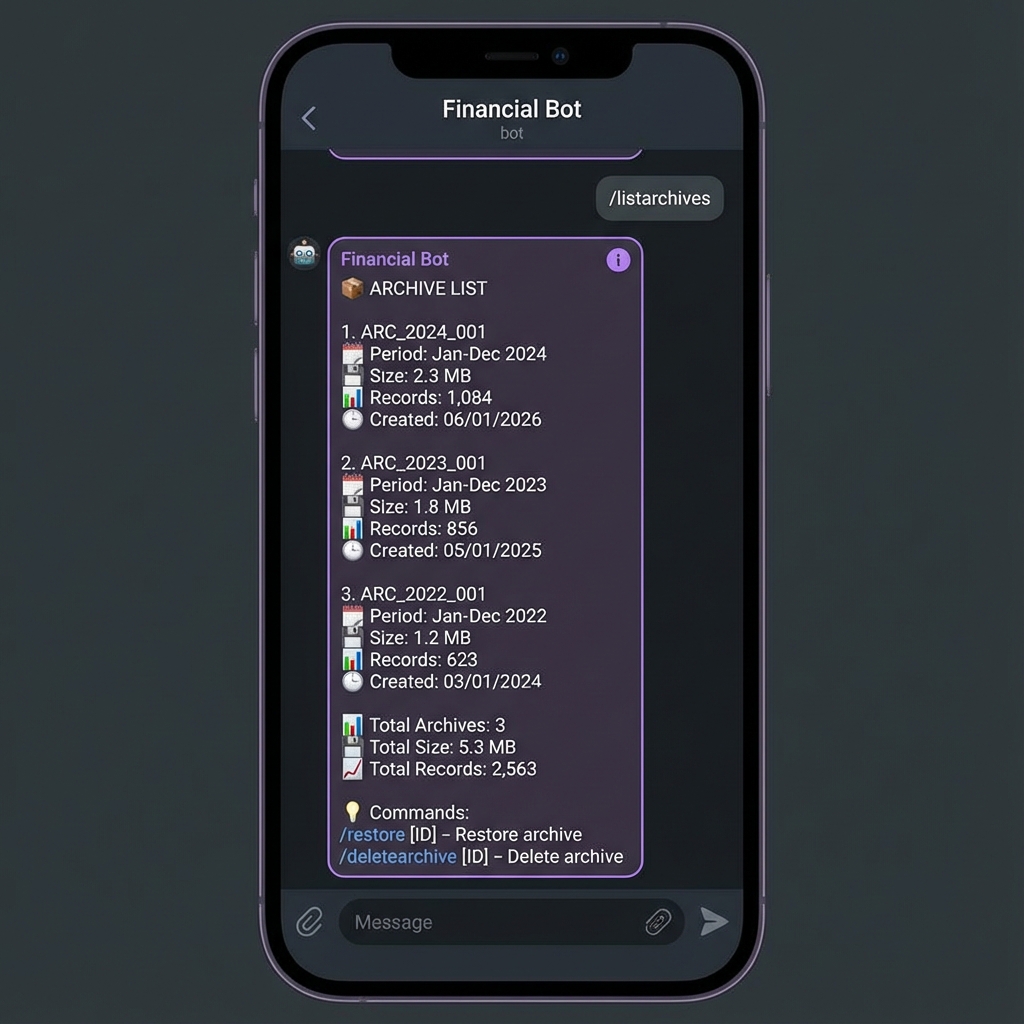
List Archives
Daftar Arsip
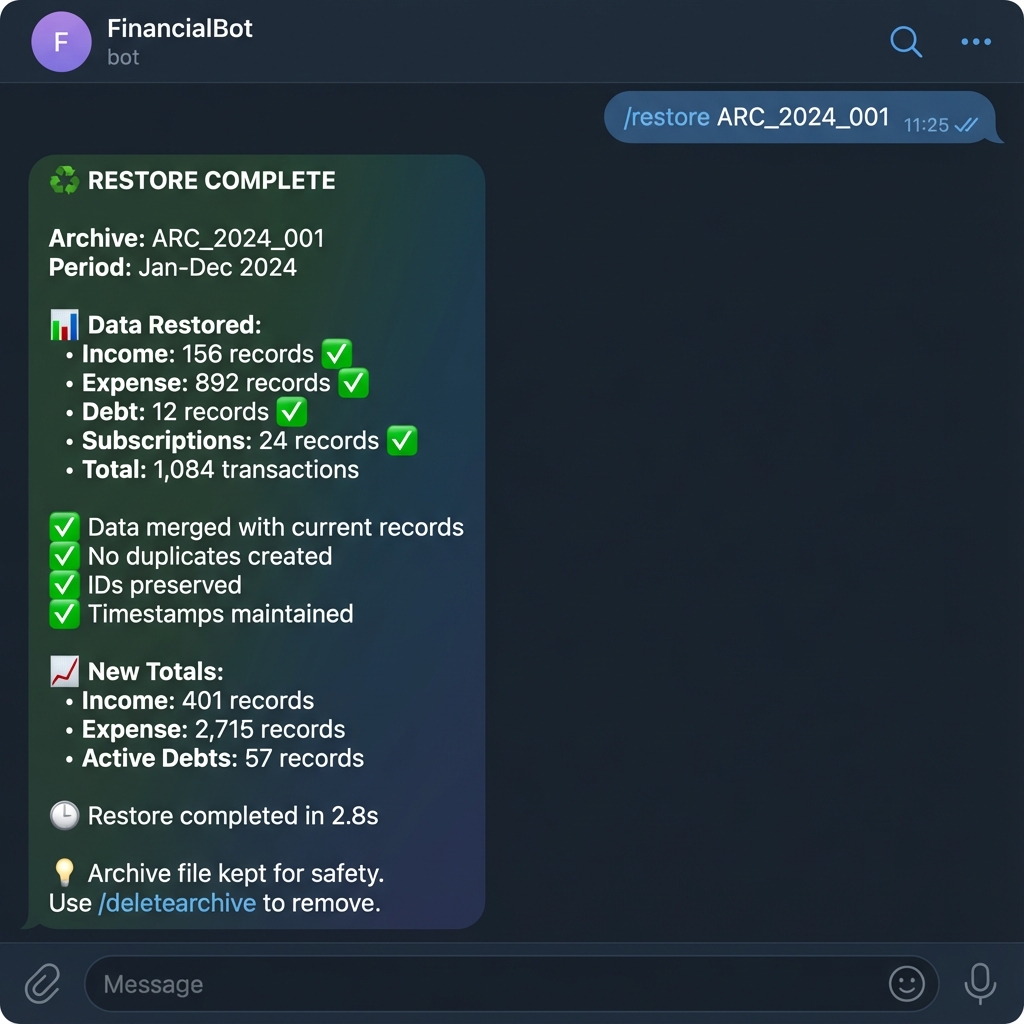
Restore Archive
Pulihkan Arsip